


Overview
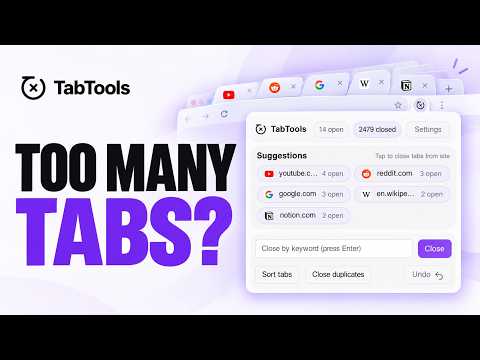
Close tabs from the same website, sort tabs by site and remove duplicates to keep your browser organised.
Close tabs by site, sort your tab bar, and clear duplicates with a free, open-source Chrome extension. ⚡ Close a site's tabs together Open TabTools and click a site under Suggestions, or right-click within a web page and choose Close site tabs. This closes matching tabs across your regular windows. 🗂️ Sort tabs by site Bring tabs from the same site together in your current window, with the sites you have open most placed first. 🧹 Remove duplicate tabs Close extra copies of the same page in one click. Pinned tabs are left in place. 🔎 Search by keyword or domain Type a word to match tab titles and URLs, or enter an exact domain such as youtube.com. Then choose Close. ⏳ Clear inactive tabs Choose an inactivity threshold in Settings, then click Inactive to clear eligible tabs. Active, pinned, and audible tabs stay open. 🔒 The TabTools extension processes tab information on your device. Settings and cleanup statistics stay in your browser’s local storage. The extension has no accounts, analytics, advertising, or external database.
0 out of 5No ratings
Details
- Version4.0.4
- UpdatedOctober 3, 2026
- Size70.76KiB
- Languages29 languages
- DeveloperWebsite
Email
tabtools@michaelwester.com - Non-traderThis developer has not identified itself as a trader. For consumers in the European Union, please note that consumer rights do not apply to contracts between you and this developer.
Privacy

TabTools - Close & Sort Tabs by Site has disclosed the following information regarding the collection and usage of your data. More detailed information can be found in the developer's privacy policy.
TabTools - Close & Sort Tabs by Site handles the following:
This developer declares that your data is
- Not being sold to third parties, outside of the approved use cases
- Not being used or transferred for purposes that are unrelated to the item's core functionality
- Not being used or transferred to determine creditworthiness or for lending purposes
Support
For help with questions, suggestions, or problems, please open this page on your desktop browser