

Captain Octopus – Bug Reporter & Screen Recorder

Overview
Record browser bugs with video, step-by-step screenshots, console logs, and network activity for faster debugging.
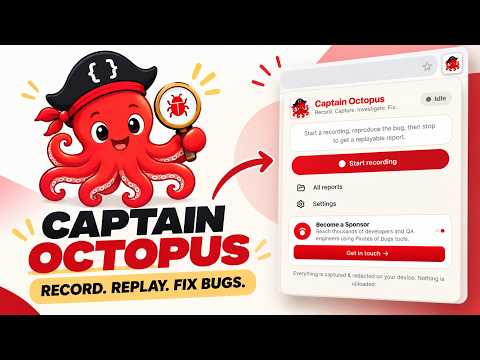
Captain Octopus turns "cannot reproduce" into a replay. Record a bug once and hand your developers everything they need to fix it: a replayable session, console logs and JavaScript errors, network requests, and the exact steps to reproduce. Everything is captured, redacted and stored on your own device. No account. No server. Nothing is uploaded. WHY CAPTAIN OCTOPUS A tester swears a button breaks. The developer clicks it and it works. The screenshot missed the console error, the failing request and the three steps that triggered it, so the ticket bounces back and forth for days. Captain Octopus captures the whole story the moment it happens, so the bug is reproducible instead of debatable. HOW IT WORKS 1. Start: click the Captain Octopus icon and press Start. A small pill shows the tab is recording. Nothing is captured until you start. 2. Reproduce: do the thing that breaks. 3. Stop: press Stop and your bug report opens in a new tab, ready to export and attach to any ticket. WHAT EVERY BUG REPORT INCLUDES - Session replay: the page recorded as live markup, so it plays back like a video you can scrub, with crisp, searchable text. - Console logs and JavaScript errors: every log, warning and error, plus uncaught exceptions and unhandled promise rejections, with stack traces. - Network requests: fetch and XHR calls with method, URL, status, timing, and size-capped headers and bodies. - Steps to reproduce: clicks, inputs and navigations turned into a numbered list, synced to the replay timeline. - Screenshots: a viewport screenshot for each key step. PRIVACY-FIRST, LOCAL-FIRST - Recording, redaction, storage and the report viewer all run in your browser. - No account, no sign-in, no analytics, no cloud dashboard. - Redaction runs before anything is stored: authorization and cookie headers, tokens, API keys, emails, credit-card and SSN patterns, and password fields are masked by default. - Add your own CSS selectors and regex patterns to mask more. - A report leaves your device only if you export it as a .zip. Teammates import it into Captain Octopus to replay it. WHO IT'S FOR - This extension is suitable for all engineers who work on testing web apps. A LOCAL ALTERNATIVE TO CLOUD BUG RECORDERS If you like tools such as Jam but need bug reports that never leave your machine, Captain Octopus gives you replay, console and network capture without the upload. Free. Part of the Pirates of Bugs toolkit for QA engineers and developers. Learn more: piratesofbugs.com/captain-octopus
0 out of 5No ratings
Details
- Version1.0.4
- UpdatedOctober 27, 2026
- Offered byPirates of Bugs
- Size796KiB
- LanguagesEnglish (United States)
- DeveloperPiratesofbugs.com
Prestige ivy terraces Bengaluru, Karnataka 560103 INEmail
piratesofbugs@gmail.com - Non-traderThis developer has not identified itself as a trader. For consumers in the European Union, please note that consumer rights do not apply to contracts between you and this developer.
Privacy

This developer declares that your data is
- Not being sold to third parties, outside of the approved use cases
- Not being used or transferred for purposes that are unrelated to the item's core functionality
- Not being used or transferred to determine creditworthiness or for lending purposes