


Overview
Brevmont opens beside your inbox and CRM so you can write the next follow-up, email, and note.
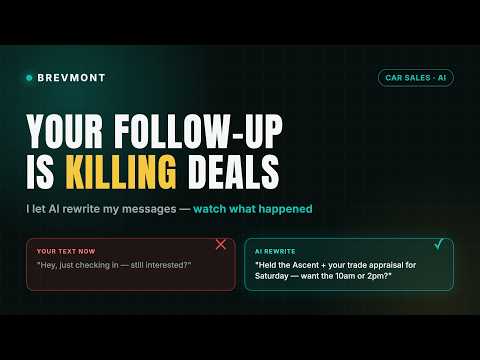
Writes what you wish you would’ve said. Ever stare at a customer message knowing you need to reply, but not knowing exactly what to say? Brevmont Lead Responder reads the conversation you’re already working on and helps you figure out what to say next — without copying and pasting the whole conversation into another AI tool. Open the conversation. Open Brevmont. Get your next move. Use it to: • Reply to a lead without starting from scratch • Follow up when someone goes quiet • Work through objections • Draft follow-up emails • Turn conversations into clean CRM notes • Capture leads while you work • Set reminders so leads don’t fall through the cracks • Get coaching when you’re not sure what to do next • Ask questions about the conversation in front of you It uses the actual conversation. Brevmont works alongside supported inboxes, social platforms, email, and CRMs. It uses the conversation you’re actively working on to help create something specific to that lead — not another generic sales script. Message. Email. CRM note. Need a quick reply? An email? Notes for your CRM? Switch formats without rewriting the conversation from scratch. Stuck? Ask Brevmont. Coach helps you think through objections, timing, follow-up, and your next move. Ask Anything lets you ask questions about the conversation without writing a customer-facing response. You stay in control. Brevmont does not send messages for you. It drafts. You review it, edit it if you want, and decide what gets sent. Try it free. Your first 7 successful Lead Responder replies are included. No card required. Privacy Brevmont uses the content needed to provide the feature you’re actively using. It does not use your browser history, saved passwords, or payment information to generate sales responses.
5 out of 54 ratings
Details
- Version1.16.111
- UpdatedSeptember 30, 2026
- Size490KiB
- LanguagesEnglish
- DeveloperBrevmont LabsWebsite
35 E Snow king Ave Jackson, WY 83001 USEmail
founder@brevmont.comPhone
+1 307-690-0291 - TraderThis developer has identified itself as a trader per the definition from the European Union and committed to only offer products or services that comply with EU laws.
Privacy

Brevmont AI Lead Responder has disclosed the following information regarding the collection and usage of your data. More detailed information can be found in the developer's privacy policy.
Brevmont AI Lead Responder handles the following:
This developer declares that your data is
- Not being sold to third parties, outside of the approved use cases
- Not being used or transferred for purposes that are unrelated to the item's core functionality
- Not being used or transferred to determine creditworthiness or for lending purposes
Support
For help with questions, suggestions, or problems, visit the developer's support site