

Auto Join Meetings

Overview
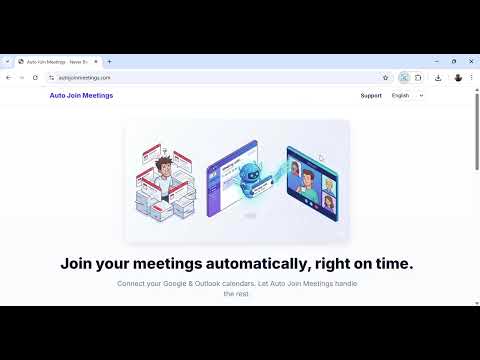
Automatically joins your scheduled meetings from Google Calendar or Microsoft Outlook, right on time.
Never miss the start of a meeting again. Auto Join Meetings reads your Google or Outlook calendar and opens each video call on time — and on paid plans it clicks "Join" for you. 🌟 KEY FEATURES • Opens your calls on time: Google Meet, Zoom, Microsoft Teams and Webex links are detected automatically in your calendar events. • Joins for you (Basic & Complete): on Google Meet and Zoom it clicks "Join" and confirms you're actually in the call. Microsoft Teams auto-join is in beta — turn it on in the popup. • Waits for the host: on Google Meet and Teams it keeps waiting in the lobby until you're admitted. • Meeting Context (Basic & Complete): attach a link or a local file to a meeting and it opens a few minutes before the call. • Webhooks on every plan: send a signed webhook to your own tools when a meeting opens, is joined or ends. • Workflows (Complete): when a meeting ends, create a follow-up task or send a notification in the tools your team already uses. • Works in your language: English, Portuguese, Spanish, French, German, Italian, Japanese and Korean. 💡 HOW IT WORKS 1. Install the extension. 2. Connect your Google or Microsoft account (read-only calendar access). 3. That's it — your meetings open on time, and on paid plans Auto Join Meetings joins for you. ℹ️ GOOD TO KNOW Auto-join works in the browser, not in desktop apps, and only on meeting tabs the extension opened itself. It never types passwords, passcodes or names — if a meeting asks for one, you finish that step. 💳 PRICING • Free: opens up to 3 meetings a day, plus webhooks — no card required. • Basic: no daily limit, auto-join, configurable lead time, Meeting Context and priority support. • Complete: everything in Basic, plus Workflows. Full pricing: https://www.autojoinmeetings.com/pricing 🔒 PRIVACY We only read your calendar to find meeting links and start times. We don't sell your data or track your browsing. Meeting titles and participants are never sent to our analytics. Meeting Context files stay on your device. Policy: https://www.autojoinmeetings.com/privacy
0 out of 5No ratings
Details
- Version1.7.4
- UpdatedOctober 11, 2026
- FeaturesOffers in-app purchases
- Offered byvitordantas
- Size169KiB
- Languages9 languages
- Developer
Email
support@autojoinmeetings.com - Non-traderThis developer has not identified itself as a trader. For consumers in the European Union, please note that consumer rights do not apply to contracts between you and this developer.
Privacy

Auto Join Meetings has disclosed the following information regarding the collection and usage of your data. More detailed information can be found in the developer's privacy policy.
Auto Join Meetings handles the following:
This developer declares that your data is
- Not being sold to third parties, outside of the approved use cases
- Not being used or transferred for purposes that are unrelated to the item's core functionality
- Not being used or transferred to determine creditworthiness or for lending purposes
Support
For help with questions, suggestions, or problems, visit the developer's support site