

Errand — AI browser agent
1 rating
)
Overview
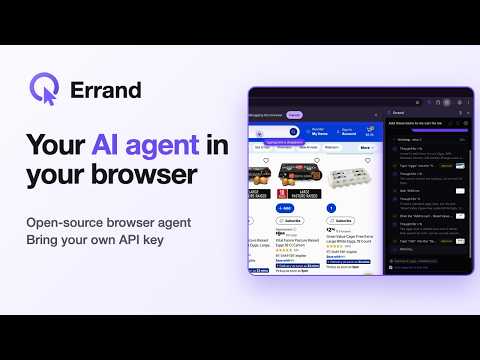
An AI agent that browses for you in a side panel. Bring any OpenAI-compatible model: OpenAI, OpenRouter, Ollama and more.
Errand is an AI agent that does web tasks for you, right in your browser. Tell it what you need in the side panel: "fill in this form from my notes", "compare these two products", "copy the table from this page into a spreadsheet". Errand reads the page, moves a visible cursor, clicks and types, and reports back. You watch every step and can stop it at any time. BRING YOUR OWN MODEL Errand works with any OpenAI-compatible API. Use OpenAI or OpenRouter, or keep everything on your own machine with Ollama or LM Studio. Built-in presets fill in the details; paste a key, test the connection and pick a model. There is no Errand account and no subscription. YOU STAY IN CONTROL • Errand works only in its own purple "Errand" tab group. The side panel is available only in that group. Clicking the toolbar icon adds the current tab to the group and opens the panel. • Each task starts in Ask. Auto and Hands-off can be chosen for that task only, and the choice is not saved. • It asks before working on a site for the first time (allow once, always, or deny), unless you chose Hands-off for this task. Always allow is the only choice that is saved. • Passwords, payment fields, and one-time codes always ask, whether Errand types or presses keys, including paste. Tab, Escape, and the arrow keys in those fields do not ask. Enter asks when the label contains a risky word, including a text field such as Send a message, Control+Enter, and typing that presses Enter. Clicking or typing in that text field without Enter does not. On a control that is not a text field, a click, typing on it, Enter, or Space asks, including a div, span, or menu option. Submit and payment are risky words, so a Submit button asks. Enter in a search box does not ask unless it is inside a form or its label has a risky word. Enter inside a form always asks. Typing into a text field such as an order number, without pressing Enter, does not ask. If Tab inside one type action moves onto a button, a password, a different form field, or a text field with a risky word, Errand does not type the rest or press Enter. A frame the page cannot read, such as a card field, also asks. Auto and Hands-off may skip routine steps such as downloads. You choose which words count as risky. • On a routine prompt you can allow the rest of that task. It ends with the task and is not saved. • A live cursor and highlights show exactly what it is about to do. • Stop ends the task immediately. Hands-off leaves a one-sentence summary, including when the task is rejected or stopped. • After repeated errors or actions on an unchanged page, Errand asks whether to continue. Healthy tasks keep running. PRIVATE BY DESIGN Errand has no servers, analytics or telemetry. Settings, keys and chat history stay on your device. Page content is sent only to the model provider you choose, and with a local model it never leaves your computer. FEATURES • Attach images, PDFs and text files to a task • Works across multiple tabs • Chat history stored locally • Light and dark themes • Free and open source (AGPL-3.0): https://github.com/Dread63/errand Note: while a task runs, Chrome shows a "started debugging this browser" bar. That is how Errand sends real clicks and keystrokes; closing the bar pauses the task.
5 out of 51 rating
Details
- Version1.2.0
- UpdatedNovember 13, 2026
- Offered byDread
- Size671KiB
- LanguagesEnglish
- Developer
Email
contact@palebit.com - Non-traderThis developer has not identified itself as a trader. For consumers in the European Union, please note that consumer rights do not apply to contracts between you and this developer.
Privacy

Errand — AI browser agent has disclosed the following information regarding the collection and usage of your data. More detailed information can be found in the developer's privacy policy.
Errand — AI browser agent handles the following:
This developer declares that your data is
- Not being sold to third parties, outside of the approved use cases
- Not being used or transferred for purposes that are unrelated to the item's core functionality
- Not being used or transferred to determine creditworthiness or for lending purposes
Support
For help with questions, suggestions, or problems, visit the developer's support site