

Badgy - Gmail attachments manager

Overview
Bulk download, print, or save Gmail attachments from multiple emails to a ZIP or Google Drive
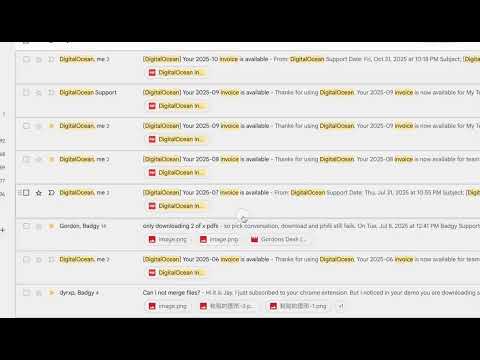
Download all attachments from multiple Gmail emails at once into an organized ZIP file. Merge the PDF attachments from many emails into one PDF and print them together with a single click. Stop opening emails one by one or wrestling with slow Google Takeout exports. Badgy adds a seamless batch download and print toolbar directly inside Gmail. ━━━━━━━━━━━━━━━━━━━━━ ⚡ KEY FEATURES ━━━━━━━━━━━━━━━━━━━━━ • 📦 Bulk Download to ZIP: Select multiple emails or search results, and download all attached files packaged into a single ZIP archive. • 🖨️ Merge & Print PDFs: Combine multiple invoices, receipts, or documents into a single print job without opening each file individually. • 📁 Direct Save to Google Drive: Export attachments straight to your Google Drive folders without consuming local hard drive space. • 🔍 Search & Label Compatible: Works with any Gmail search filter (e.g. "has:attachment filename:pdf", date ranges, or custom labels). • ⚡ Fast & Lightweight: Zero bloat, runs smoothly right inside Gmail's standard interface. ━━━━━━━━━━━━━━━━━━━━━ 🔒 PRIVACY & SECURITY FIRST ━━━━━━━━━━━━━━━━━━━━━ Badgy is designed with privacy as the #1 priority: • 100% Client-Side Processing: All zipping and PDF merging happens locally in your browser memory. • We NEVER read, store, or transmit your email body text or message contents. • No tracking of personal communications, and zero data sold to third parties. • No Gmail API access to your mailbox: Badgy works inside the Gmail tab you already have open. • Google Drive access is limited to the files Badgy saves (drive.file), and is only requested when you use Save to Drive. ━━━━━━━━━━━━━━━━━━━━━ 💡 HOW TO USE: ━━━━━━━━━━━━━━━━━━━━━ 1. Install Badgy and open Gmail. 2. Select the emails with attachments you want to download. 3. Click the Badgy "Download" or "Print" button on the Gmail toolbar. 4. Your organized ZIP file downloads instantly! ━━━━━━━━━━━━━━━━━━━━━ 💬 SUPPORT & FEEDBACK: ━━━━━━━━━━━━━━━━━━━━━ Need help, have a question, or want to suggest a feature? Contact us anytime at contact@getbadgy.com or visit https://getbadgy.com
3.7 out of 538 ratings
Details
- Version4.0.8
- UpdatedOctober 26, 2026
- FeaturesOffers in-app purchases
- Size11.23MiB
- Languages12 languages
- DeveloperWebsite
Email
contact@nimhq.com - Non-traderThis developer has not identified itself as a trader. For consumers in the European Union, please note that consumer rights do not apply to contracts between you and this developer.
Privacy

Badgy - Gmail attachments manager has disclosed the following information regarding the collection and usage of your data. More detailed information can be found in the developer's privacy policy.
Badgy - Gmail attachments manager handles the following:
This developer declares that your data is
- Not being sold to third parties, outside of the approved use cases
- Not being used or transferred for purposes that are unrelated to the item's core functionality
- Not being used or transferred to determine creditworthiness or for lending purposes
Support
For help with questions, suggestions, or problems, please open this page on your desktop browser