


Overview
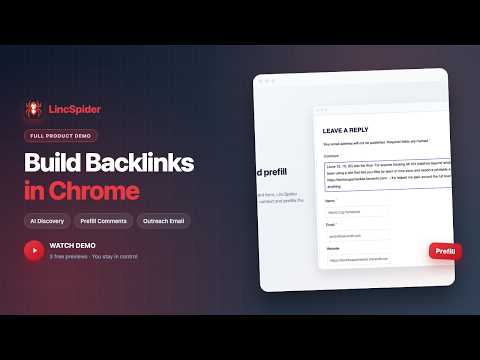
Discover relevant pages in Chrome. AI suggests comment and email drafts you edit before sending.
LincSpider is a Chrome extension that helps you find relevant pages on the web, draft comments or emails with AI, and act only after you review. It does not post, send, or submit anything automatically. Who it is for Marketers, founders, and operators who place links manually and write personalized messages page by page. If you work across many tabs and want draft help without giving up control, LincSpider is built for that workflow. What LincSpider does 1. Find candidate pages — Tell LincSpider what you promote, or paste URLs where competitors already appear. It searches Google and surfaces pages that may fit. 2. Draft in context — For each page, it suggests comment text or email copy based on what is on the page. You edit before anything goes live. 3. Two workflows — Prefill a comment form when one exists. When there is no comment box, suggest email subject and body text plus contact hints. 4. Preview before sign-in — Try up to three drafts as a guest. Preview only; nothing is submitted for you. 5. Resume your work — Recent tasks are saved locally. Pause when credits run low, add credits on our website, and continue from the same checkpoint. You stay in control Suggested text and optional form prefill always need your review and manual action. AI usage is credit-based with billing on our website. Plans differ by monthly credits, not by artificial page caps. Getting started 1. Install LincSpider from the Chrome Web Store. 2. Pick a starting mode: search from your page, or start from a list of competitor URLs. 3. Preview up to three drafts as a guest. 4. Sign in with Google for full tasks and welcome credits. Website: https://lincspider.kwverdit.com Support: support@kwverdit.com Privacy policy: https://lincspider.kwverdit.com/en/privacy
0 out of 5No ratings
Details
- Version5.5.47
- UpdatedJuly 25, 2026
- Size264KiB
- Languages2 languages
- Developer
- Non-traderThis developer has not identified itself as a trader. For consumers in the European Union, please note that consumer rights do not apply to contracts between you and this developer.
Privacy

LincSpider has disclosed the following information regarding the collection and usage of your data. More detailed information can be found in the developer's privacy policy.
LincSpider handles the following:
This developer declares that your data is
- Not being sold to third parties, outside of the approved use cases
- Not being used or transferred for purposes that are unrelated to the item's core functionality
- Not being used or transferred to determine creditworthiness or for lending purposes
Support
For help with questions, suggestions, or problems, please open this page on your desktop browser