


Overview
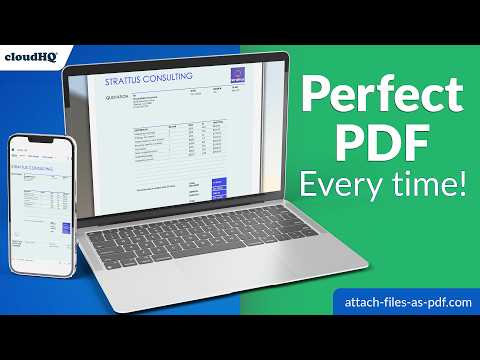
Convert any file to PDF and attach it to your Gmail message in one click.
Attach Files as PDF by cloudHQ adds a one-click button to the Gmail composer that converts your document, spreadsheet, presentation, or image into a clean PDF and attaches it to your email. No manual export, no separate tool, no stale copy to keep in sync. ~~~ Why send attachments as PDF? ~~~ A PDF is the reliable, professional way to share a finished document: - Formatting stays the same on every device and email client. Editable documents often shift fonts, spacing, margins, and page breaks depending on the recipient's software. - Recipients can open it easily, with no special software required. It looks final. For contracts, invoices, proposals, and resumes, a PDF reads as the finished version while an editable file looks like a draft. - It's read-only in practice. A PDF is the right format when you want the recipient to read, print, sign, or approve without altering your content. - It's cleaner to share externally. Editable files can carry macros, tracked changes, hidden comments, and metadata. - It prints predictably and archives well, preserving the document's appearance over time. ~~~ The hidden problem with converting manually ~~~ Exporting to PDF before every email creates a question you can never quite answer: is this PDF the latest version of the document? One small edit after the export, and the file you're attaching is already stale. Attach Files as PDF removes the export step. You select the source file at the moment you send, and the PDF is generated on the fly from the latest version. One workflow, every time. ~~~ Key features: ~~~ - One-click PDF conversion inside the Gmail composer - Converts the current version of your file at send time, so the attachment is never out of date - Works with Word documents, Excel spreadsheets, PowerPoint presentations, OpenDocument and rich text files, plain text, web pages, and common image files - Automatic compression so the converted file fits within Gmail's attachment size limit - Optional password protection for sensitive documents - The finished PDF lands in your draft as a regular attachment, so you can review before sending ~~~ Who uses it ~~~ - Sales teams send quotes and contracts that look identical for every client. - HR forwards resumes and offer letters without formatting drift. - Finance delivers invoices and statements recipients can't accidentally alter. - Legal shares documents for approval without exposing edits or metadata. - Teachers send handouts that open the same on every student device. ~~~ How to use it ~~~ 1. Install the extension 2. Open Gmail and click Compose 3. Click the Attach Files as PDF button in the composer toolbar 4. Pick your file, and the latest version is converted and attached automatically cloudHQ. Helping your productivity, 1 click at a time. cloudHQ website: https://www.cloudhq.net/ Web page: https://www.attach-files-as-pdf.com/ Support page: https://support.cloudhq.net/category/browser-extensions/gmail-attach-as-pdf Blog: https://blog.cloudhq.net Gmail and Google Workspace are trademarks of Google LLC. Use of these trademarks is subject to Google Permissions. cloudHQ is trademark of cloudHQ LLC. https://www.cloudhq.net/trademark
5 out of 56 ratings
Details
- Version1.0.0.5
- UpdatedJuly 21, 2026
- Size581KiB
- Languages11 languages
- DevelopercloudHQ LLCWebsite
2247 29th Ave San Francisco, CA 94116-1738 USEmail
support@cloudhq.netPhone
+1 415-509-6721 - TraderThis developer has identified itself as a trader per the definition from the European Union and committed to only offer products or services that comply with EU laws.
- D-U-N-S064785518
Privacy

Attach Files as PDF has disclosed the following information regarding the collection and usage of your data. More detailed information can be found in the developer's privacy policy.
Attach Files as PDF handles the following:
This developer declares that your data is
- Not being sold to third parties, outside of the approved use cases
- Not being used or transferred for purposes that are unrelated to the item's core functionality
- Not being used or transferred to determine creditworthiness or for lending purposes
Support
For help with questions, suggestions, or problems, visit the developer's support site