

Full Page Screenshot & PDF
2 ratings
)
Overview
Capture full-page screenshots, export as PDF, and copy page text.
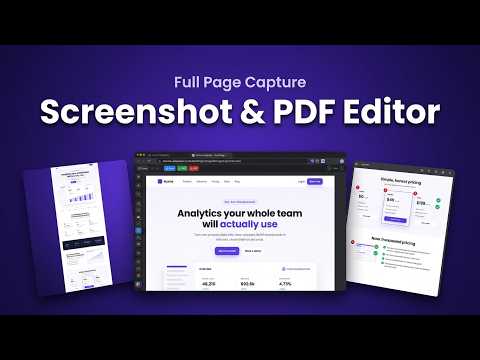
Full Page Screenshot & PDF captures an entire web page, top to bottom, in one image. It scrolls the page for you, stitches every part together, and opens the result in a built-in editor where you can mark it up and save it as PNG or PDF. Two ways to capture: • Full Page Screenshot: scrolls and stitches the whole page into one tall image. Sticky headers appear once instead of repeating, and pages that scroll inside their own panel (like dashboards) are handled too. • Take Screenshot: captures just what is on your screen right now. A complete editor, right after the capture: • Pen and highlighter • Rectangles, circles, triangles, stars and more, outlined or filled • Arrows (single, double, curved) and lines (solid, dashed, dotted) • Text, numbered step markers and callout bubbles • Blur tool to hide private details before you share • Crop, zoom, and a Layers panel to hide, reorder or delete any mark • Move, resize and recolor anything you have drawn • Undo and redo (Ctrl+Z, Ctrl+Y) plus single-key tool shortcuts • Optional browser-window frame (Mac or Windows style) with the page URL More useful extras: • Select and copy text straight from the screenshot • Copy the image to your clipboard and paste it anywhere • Download as PNG or as a PDF Private by design: Your screenshots never leave your browser. Nothing is uploaded to any server. The extension only sends an anonymous usage count (for example, "a capture happened") so we know how many people use it. No sign-up, no account needed.
5 out of 52 ratings
Details
- Version1.0.0
- UpdatedOctober 20, 2026
- Offered byToolFi
- Size239KiB
- LanguagesEnglish
- DeveloperMD. FAYSAL FARAJI
Mirpur 10 Roundabout Dhaka 1216 BDEmail
toolfi.ai26@gmail.com - Non-traderThis developer has not identified itself as a trader. For consumers in the European Union, please note that consumer rights do not apply to contracts between you and this developer.
Privacy

Full Page Screenshot & PDF has disclosed the following information regarding the collection and usage of your data. More detailed information can be found in the developer's privacy policy.
Full Page Screenshot & PDF handles the following:
This developer declares that your data is
- Not being sold to third parties, outside of the approved use cases
- Not being used or transferred for purposes that are unrelated to the item's core functionality
- Not being used or transferred to determine creditworthiness or for lending purposes