


Overview
Farm Twitch Drops with a campaign queue, live progress, auto-claim, and recovery controls — all from your browser.
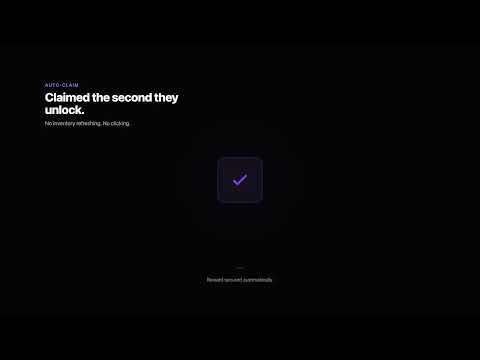
DropHunter is a browser extension that helps you farm Twitch Drops, track campaign progress and automatically claim eligible rewards using your existing Twitch session. Build a campaign queue or enable automatic farming for your favorite games. Choose hidden farming without a viewing tab, or let DropHunter manage a Twitch stream tab. Check progress from the popup or a separate live monitor, and pause or stop whenever you need. CAMPAIGNS IN ONE PLACE Browse available campaigns, inspect their rewards and queue the ones you want. Campaign labels distinguish different campaigns for the same game. Reorder your manual queue to choose what comes next. AUTOMATIC CLAIMS AND LIVE PROGRESS Track reward progress and estimated time remaining when available. With auto-claim enabled, DropHunter checks for completed rewards and claims them when Twitch allows it. Review successful claims in a local history grouped by campaign. FAVORITE GAMES AND RECOVERY Enable favorite auto-start to discover and farm eligible campaigns for your favorite games, prioritizing those ending soon. When a stream goes offline or progress stalls, DropHunter checks alternatives and schedules recovery attempts. YOUR WATCHING TAKES PRIORITY DropHunter detects when you are watching a Twitch stream yourself and suspends farming while you watch. You can also pause manually without losing your queue position. Stop ends the session until you explicitly restart or re-enable automation. OPTIONAL CONTROLS • Choose hidden farming or a managed Twitch tab. • Select streamers by lowest viewers, random selection or most viewers. • Set a preferred streamer language. • Open a separate live progress monitor. • Enable desktop notifications or Telegram alerts through your own bot and chat. • Automatically claim free channel-point bonuses on open Twitch channel tabs. • Back up selected settings, favorites, hidden games, statistics and claim history. GETTING STARTED 1. Sign in to Twitch in the same browser. 2. Open Twitch Drops and let DropHunter synchronize your campaigns. 3. Add an eligible campaign and select Start Queue, or start a selected campaign. 4. Adjust farming and notification options in Settings. PRIVACY DropHunter stores its operational state locally in your browser. It has no developer-owned backend, advertising trackers or analytics inside the extension. Twitch session credentials are used only for Twitch requests. Optional Telegram alerts send reward and farming-event information to the chat you configure; they never include Twitch credentials. IMPORTANT LIMITS Twitch controls campaign availability, watch-time progress and reward eligibility. Your browser must remain running for farming to continue. Some rewards require account linking, a subscription or another action that DropHunter cannot complete for you. Playback restrictions or Twitch changes may require manual attention. DropHunter is free and open source. No separate DropHunter account is required. DropHunter is not affiliated with, endorsed by or sponsored by Twitch Interactive, Inc.
5 out of 51 rating
Details
- Version4.0.2
- UpdatedOctober 17, 2026
- Size255KiB
- LanguagesEnglish
- DeveloperWebsite
Email
info@marcotrevisani.com - Non-traderThis developer has not identified itself as a trader. For consumers in the European Union, please note that consumer rights do not apply to contracts between you and this developer.
Privacy

DropHunter has disclosed the following information regarding the collection and usage of your data. More detailed information can be found in the developer's privacy policy.
DropHunter handles the following:
This developer declares that your data is
- Not being sold to third parties, outside of the approved use cases
- Not being used or transferred for purposes that are unrelated to the item's core functionality
- Not being used or transferred to determine creditworthiness or for lending purposes
Support
For help with questions, suggestions, or problems, visit the developer's support site