

MapSnip: Maps Leads Exporter & Email Finder

Overview
Export local map leads, business emails, phone numbers & reviews to CSV. Fast lead generation & outreach pipeline builder.
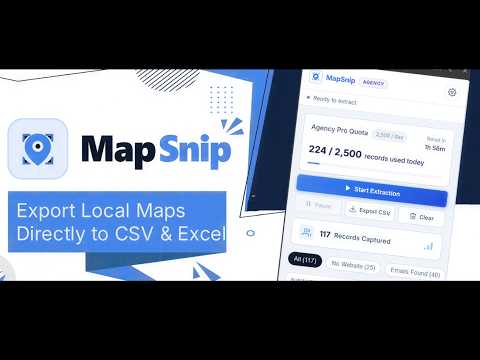
MapSnip is a fast, client-side productivity tool designed for local market researchers, SEO specialists, and directory analysts. Format and export public directory records directly into clean, structured CSV files without server-side lag or complex configurations. KEY FEATURES: • Export Public Records: Extract business names, ratings, review counts, websites, categories, and addresses. • Client-Side Processing: All data processing runs locally in your browser (IndexedDB). Your research lists remain 100% private. • Smart CSV Export: Download clean, RFC-4180 compliant CSV files ready for Google Sheets, Microsoft Excel, or your favorite analytics tool. • Live Web Visualizer: Filter and preview records by rating or website status before exporting. • Quota & Team Support: Generous daily export quotas with multi-device licensing options. HOW TO USE: 1. Open Google Maps and perform any local search (e.g., "bakeries in Chicago"). 2. Open the MapSnip side panel from your Chrome toolbar. 3. Click "Start Extraction" to gather and organize listings. 4. Click "Export CSV" to save your structured dataset. PRIVACY & COMPLIANCE: MapSnip operates client-side inside your browser and processes only publicly visible data displayed on the page. MapSnip does not facilitate unsolicited messaging or cold outreach.
5 out of 53 ratings
Details
- Version2.0.0
- UpdatedSeptember 16, 2026
- FeaturesOffers in-app purchases
- Size87.95KiB
- LanguagesEnglish (United States)
- DeveloperWebsite
Email
yeabsirahaile01@gmail.com - Non-traderThis developer has not identified itself as a trader. For consumers in the European Union, please note that consumer rights do not apply to contracts between you and this developer.
Privacy

This developer declares that your data is
- Not being sold to third parties, outside of the approved use cases
- Not being used or transferred for purposes that are unrelated to the item's core functionality
- Not being used or transferred to determine creditworthiness or for lending purposes
Support
For help with questions, suggestions, or problems, please open this page on your desktop browser