


Overview
Turn any webpage into clean Excel data in one click. All analysis runs locally — no accounts, no uploads.
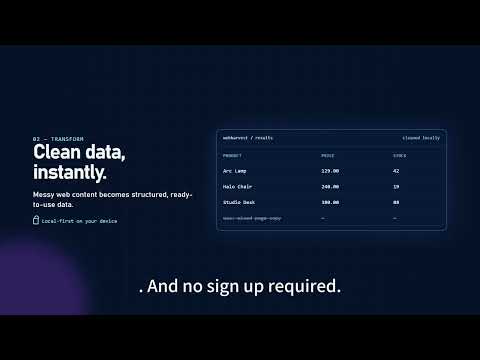
Turn any webpage into clean, structured data in just a few clicks. WebHarvest helps you extract tables, lists, products, jobs, search results, and other repeated webpage content — then export the data to Excel, CSV, JSON, or your clipboard. No coding. No complicated setup. No account required to get started. ✨ WHAT YOU CAN DO • Extract structured data from webpages • Detect tables, lists, and repeated content • Review and organize extracted fields • Export data to Excel, CSV, or JSON • Copy structured data directly to your clipboard • Save reusable extraction workflows with WebHarvest Pro ⚡ HOW IT WORKS 1. Open the webpage containing the data you need 2. Click the WebHarvest extension 3. Scan the page 4. Review the detected data 5. Export it in the format you want That’s it. No Python scripts. No CSS selectors. No manual copy-and-paste. 🔎 USE CASES WebHarvest is useful for: • Product and market research • Ecommerce product data • Job listing research • Real estate research • Lead and directory research • Competitor monitoring • SEO and content research • Academic and business research • Repetitive webpage data collection 🔒 PRIVACY FIRST WebHarvest is designed to process data locally in your browser whenever supported. No account is required to start using the extension. Your webpage data is not uploaded just to perform basic extraction. 🆓 FREE VERSION Start free and test the complete extraction workflow. The free version lets you: • Scan webpage data • Extract up to 30 rows per extraction • Review detected data • Export basic results 🚀 WEBHARVEST PRO Upgrade to WebHarvest Pro for more advanced workflows, including: • Higher or unlimited extraction limits • Excel and JSON export • Saved extraction templates • Advanced data organization tools • Cross-device synchronization where available WebHarvest Pro is designed for people who regularly collect and organize web data. No complex setup required. Spend less time copying data and more time using it. Questions or feedback? Visit: https://webharvest111.com/
0 out of 5No ratings
Details
- Version1.0.8
- UpdatedSeptember 23, 2026
- FeaturesOffers in-app purchases
- Size131KiB
- LanguagesEnglish
- DeveloperWebsite
Email
cl119794688@gmail.com - Non-traderThis developer has not identified itself as a trader. For consumers in the European Union, please note that consumer rights do not apply to contracts between you and this developer.
Privacy

WebHarvest has disclosed the following information regarding the collection and usage of your data. More detailed information can be found in the developer's privacy policy.
WebHarvest handles the following:
This developer declares that your data is
- Not being sold to third parties, outside of the approved use cases
- Not being used or transferred for purposes that are unrelated to the item's core functionality
- Not being used or transferred to determine creditworthiness or for lending purposes
Support
For help with questions, suggestions, or problems, please open this page on your desktop browser