

BuyFast - Amazon Flipkart Price History & Auto Checkout

Overview
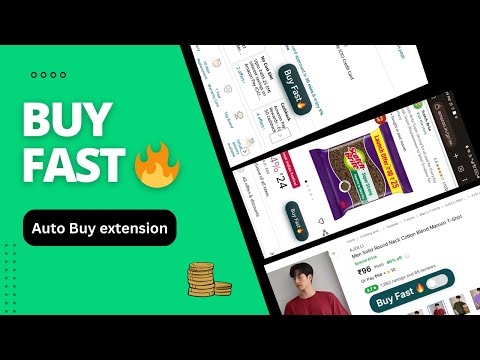
One-click Amazon & Flipkart Auto Checkout, Price History Charts & Auto Coupons
BuyFast helps you know whether a deal is worth buying, then checks out fast during Amazon and Flipkart flash sales. > Use in MOBILE (ANDROID) 1. Install Quetta/Yandex Browser and set it as your default browser. 2. Install BuyFast and User-Agent Switcher extensions. 3. In User-Agent Switcher, select Chrome or Microsoft Edge. 4. If using Telegram, disable "In-App Browser" so links open directly in Quetta Browser. PRICE HISTORY • Real price history on Amazon, Flipkart, Myntra, and Ajio • Compare current price with lowest and regular historical prices • Spot fake discounts more easily • Buy / Wait recommendation from price history • Turn the chart on or off anytime in the BuyFast popup AUTO CHECKOUT (Amazon & Flipkart) • One-click BuyFast toggle on the product page — turn it ON when you want automation • Uses your saved address on the retailer site • Auto-applies Amazon coupons when you are signed in • Amazon payment priority (built-in): COD → Amazon Pay Balance → Card → UPI → Net Banking • Flipkart payment preference in the popup: COD, Net Banking, EMI, or OFF (hands off to Flipkart payments) • Flipkart quantity in the popup; Amazon uses the quantity you pick on the product page • Hide checkout anytime from the product page or the popup — price history and coupons stay on HOW TO USE❓ 1. Pin BuyFast from the extensions puzzle menu. 2. Open an Amazon or Flipkart product page. 3. Check the price chart, then turn the BuyFast toggle ON before the sale if you want auto-checkout. 4. Set Flipkart payment / quantity in the popup Settings tab if needed. If you enjoy BuyFast, please leave a review. Some links may earn us a small affiliate commission at no extra cost to you. This helps keep BuyFast free.
4.6 out of 527 ratings
Details
- Version2.7.20
- UpdatedOctober 16, 2026
- Size242KiB
- LanguagesEnglish
- DeveloperWebsite
Email
gkushwaha1998@gmail.com - Non-traderThis developer has not identified itself as a trader. For consumers in the European Union, please note that consumer rights do not apply to contracts between you and this developer.
Privacy

BuyFast - Amazon Flipkart Price History & Auto Checkout has disclosed the following information regarding the collection and usage of your data. More detailed information can be found in the developer's privacy policy.
BuyFast - Amazon Flipkart Price History & Auto Checkout handles the following:
This developer declares that your data is
- Not being sold to third parties, outside of the approved use cases
- Not being used or transferred for purposes that are unrelated to the item's core functionality
- Not being used or transferred to determine creditworthiness or for lending purposes
Support
For help with questions, suggestions, or problems, please open this page on your desktop browser