


Overview
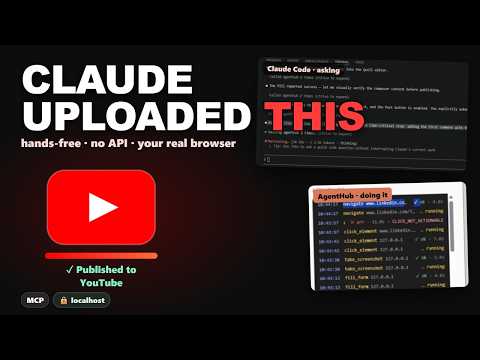
AgentHub — Browser MCP for Claude Code, Cursor & Claude Desktop. Automate your real Chrome via MCP tools.
HOW IT WORKS AgentHub exposes your browser as a set of MCP (Model Context Protocol) tools. Install the extension, then run one command in any terminal: npx agenthub-setup@latest The installer detects the AI tools already on your machine and registers the local bridge with each of them automatically. No manual config files to edit. WHAT YOUR AI CAN DO • List and read your open tabs • Fill out forms — including React, Vue, and shadow DOM inputs • Click elements, press keys, scroll the page • Navigate, go back, go forward • Read full page content and page metadata • Take an accessibility snapshot of the page • Take screenshots • Read existing form values before changing them • Extract tables and structured data from any page PRIVACY & CONTROL • The bridge runs on your machine and listens only on localhost (127.0.0.1) — it isn't reachable from your network. • Page content, screenshots, and form data flow directly between your browser and the AI tool you connect. AgentHub doesn't operate a server that reads or stores your browsing data. • Site access is opt-in. AgentHub doesn't get broad access to every website by default — you grant it per site (or all sites, if you choose) and can revoke it any time. • A built-in blocklist keeps AI tools off banking and email domains by default. • Every tool call your AI makes is visible in the side panel's activity log, so nothing happens silently. • No account or sign-up required. WHO IT'S FOR Anyone using Claude Code, Cursor, Claude Desktop, or another MCP client who wants their AI assistant working inside their actual logged-in browser — research, QA, form-filling, data extraction — without copy-pasting page content back and forth. REQUIREMENTS • Chrome 120+ or Edge 120+ • An MCP-compatible AI client (Claude Code, Cursor, Claude Desktop, or any other) • The debugger permission is required — AgentHub uses the Chrome DevTools Protocol for reliable screenshots
0 out of 5No ratings
Details
- Version0.5.19
- UpdatedJuly 13, 2026
- Size889KiB
- LanguagesEnglish (United States)
- DeveloperWebsite
Email
irma.pugachev@gmail.com - Non-traderThis developer has not identified itself as a trader. For consumers in the European Union, please note that consumer rights do not apply to contracts between you and this developer.
Privacy

This developer declares that your data is
- Not being sold to third parties, outside of the approved use cases
- Not being used or transferred for purposes that are unrelated to the item's core functionality
- Not being used or transferred to determine creditworthiness or for lending purposes
Support
For help with questions, suggestions, or problems, visit the developer's support site