

Discord Chat Exporter - DiscordSuite
4 ratings
)
Overview
Export Discord chats, DMs and threads as transcripts, PDFs or spreadsheets, and bulk-delete your own messages. Runs locally.
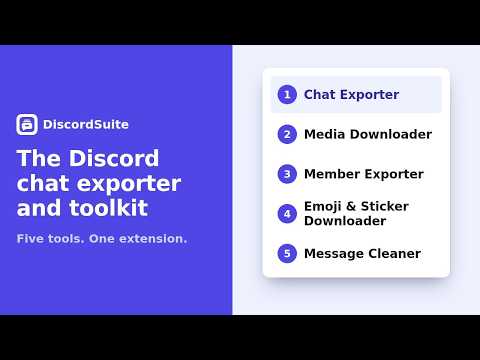
DiscordSuite is a Discord chat exporter that runs as a browser extension. Open a channel, thread or DM at discord.com, pick a format and click Export to save it as 6 formats. It uses the Discord session already open in your browser, so there is no token to paste, and the file is built on your computer. One extension, five tools: Chat Exporter, Media Downloader, Member Exporter, Emoji & Sticker Downloader and Message Cleaner. WHAT YOU CAN EXPORT - Channels, threads and DMs as 6 file formats. - PDF for printing or keeping: one channel, thread or DM at a time, saved with your browser's Save as PDF. Text stays searchable and images from Discord are included - All your DMs and group DMs at once: open your DM list and pick "Select all DMs" - Date range, first N or last N messages - Message filters: from a user, containing text, with images, videos, audio, files, links, embeds or stickers, mentioning someone, or pinned only - Light, dark or auto (system) HTML transcripts - Member lists (server owners, using your own Discord bot): username, display name, nickname, user ID, roles, join date, account creation date, bot flag, avatar link - Custom emojis and stickers, including animated emojis and Lottie stickers, with a choice of emojis or stickers and animated or static - Your favorite GIFs as one ZIP with a CSV or JSON list of their links, or just the list - Cancel any export while it is running -Delete your own messages in the open DM, group DM, channel, or thread (Message Cleaner): paced deletes, type-to-confirm, irreversible. The popup follows the browser language: English, Spanish, Portuguese (Brazil), French or German. - Try Chat Exporter, Member Exporter, Emoji & Sticker Downloader and Message Cleaner with a limited number of messages, members, items and deletions - All six formats, including PDF - Message filters - Favorite GIF link lists Optional Paid: - Chat Exporter: unlimited messages, attachments ZIP, several channels or all DMs at once, only new messages - Media Downloader: media-only export with type filters and duplicate skipping - Member Exporter: unlimited members - Emoji & Sticker Downloader: unlimited emojis, stickers and favorite GIFs - Message Cleaner: unlimited deletions of your own messages Upgrade inside the extension and pay by card through Stripe. A license key appears right after purchase and is also emailed. Cancel anytime; the license stays valid through the period you already paid. COMMON QUESTIONS How do I export a Discord DM to HTML? Open the DM at discord.com, open DiscordSuite, choose HTML and click Export. The HTML file reads like Discord, with avatars, names, timestamps, replies and reactions, in a light, dark or auto theme. To export all your DMs and group DMs in one run, open your DM list and pick "Select all DMs" (Chat Exporter). How do I export a Discord channel to Excel or CSV? Open the channel, choose Excel (XLSX) or CSV, and click Export. Set a date range, or the first or last N messages, if you only need part of it. How do I download all the images and videos from a Discord channel? Media Downloader saves a channel's images, videos, audio and other files in one ZIP. Filter by type or file extension, and duplicates are skipped. How do I export a list of the members in my Discord server? Server owners export the member list to CSV or Excel with their own Discord bot (Member Exporter). How do I download a server's custom emojis and stickers? Emoji & Sticker Downloader saves them in one ZIP, animated ones included. It can also back up the GIFs you starred in Discord. How do I bulk delete my old Discord messages? Message Cleaner deletes your own messages in the open DM, group DM, channel or thread: Scan, type DELETE, then confirm. Deletes are paced and cannot be undone, and other people's messages are never deleted. Export the chat first if you want a copy. How do I back up the messages in a Discord server? Chat Exporter can export several channels in one run, and "only new messages" adds what was posted since your last export. DiscordSuite exports what you can open in Discord. It can't recover deleted messages, and forum channels aren't a supported export. How do I save Discord messages as a record before reporting someone? Export the conversation to HTML or PDF. HTML keeps names, timestamps, replies and reactions, and PDF gives you a document you can print or file. PRIVACY AND RISK - DiscordSuite never asks for your Discord password. It uses the session already in your browser and only requests messages you can already open. - The Discord token is held in memory, is not stored, and is sent only to Discord. - Exports are written on your computer. Transcripts and ZIPs are not uploaded to us. - If you buy a tool, our license server receives your license key and the purchase email from Stripe, so it can email you the key. It never receives Discord tokens, messages or exports. - The extension has no analytics. - Discord's Terms of Service limit automated use of user accounts, so any tool that uses your account carries some risk. Saving an export does not change Discord. Message Cleaner paces its requests, but Discord may still limit accounts that automate actions. Guides: https://discordsuite.io/guides/ Privacy: https://discordsuite.io/privacy/ Website: https://discordsuite.io/ DiscordSuite is not affiliated with or endorsed by Discord Inc.
5 out of 54 ratings
Details
- Version2.3.0
- UpdatedNovember 29, 2026
- FeaturesOffers in-app purchases
- Offered byDiscordSuite
- Size187KiB
- Languages5 languages
- DeveloperBlackfyre Holdings LLC
252 Av. Juan Ponce de León STE 1002 San Juan 00918 PREmail
support@discordsuite.io - Non-traderThis developer has not identified itself as a trader. For consumers in the European Union, please note that consumer rights do not apply to contracts between you and this developer.
Privacy

Discord Chat Exporter - DiscordSuite has disclosed the following information regarding the collection and usage of your data. More detailed information can be found in the developer's privacy policy.
Discord Chat Exporter - DiscordSuite handles the following:
This developer declares that your data is
- Not being sold to third parties, outside of the approved use cases
- Not being used or transferred for purposes that are unrelated to the item's core functionality
- Not being used or transferred to determine creditworthiness or for lending purposes
Support
For help with questions, suggestions, or problems, visit the developer's support site