

YT Transcript - текст видео, комментарии, ИИ

Overview
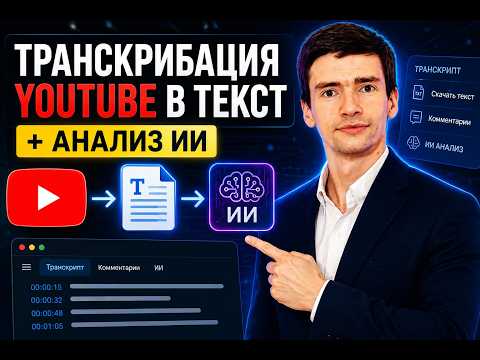
Транскрипция видео YouTube с таймкодами, выгрузка и анализ комментариев, чат с нейросетью по содержанию ролика.
YouTube Transcript, Captions and Subtitles Extractor with AI Chat Русское описание находится ниже английского. Get the full transcript of any YouTube video in seconds, straight from its own captions. YT Transcript reads the captions YouTube already has (manual or auto generated) and turns them into clean, searchable text you can copy, download, or discuss with an AI right in your browser. PRICING, IN PLAIN LANGUAGE The extension is free to install from the Chrome Web Store. Using it requires a one time activation key. You pay once, there is no subscription and no recurring monthly fee. The key is entered directly inside the extension after installation. WHAT'S INCLUDED - Full YouTube transcript extraction with timestamps - Click any timestamp to jump to that exact moment in the video - Search inside the transcript with instant highlighting - Copy the transcript or download it as .txt, .md, or a real .srt subtitle file - Works with auto generated (ASR) captions, not just manual ones - Memory: save transcripts from several videos and export them together - Light and dark theme, panel below the video or in the sidebar - Interface available in English, Russian, German, Spanish and Chinese - Clear error messages when captions cannot be loaded, with steps to fix it - YouTube comment loading and export (.csv, .md, .txt) - AI chat about the video content and AI image generation, using your own AI key - Copy a transcript line together with a timestamped link to that moment WHY THIS IS DIFFERENT FROM OTHER YOUTUBE TRANSCRIPT TOOLS Many YouTube transcript extensions are marketed as free, then push you into a monthly subscription once you actually try to use them, or quietly route your text through their own AI server without telling you which model is really replying. This extension is upfront about pricing and privacy. - One time payment (390 rubles, about 4 dollars), never a recurring subscription - Bring your own AI key (OpenAI, Anthropic Claude, Google Gemini, OpenRouter or NVIDIA) for the AI chat feature. Your key talks to the provider directly from your browser, we never see it and never proxy your conversations through our own server - No ads, no tracking, no data collection PERMISSIONS, IN PLAIN LANGUAGE The extension only asks for storage access, to save your settings and your activation key locally. It only runs on youtube.com. There is no analytics code, and nothing is sent anywhere except, if you use the AI chat feature, directly to the AI provider you picked, using your own key. FREQUENTLY ASKED QUESTIONS Is this extension free? The extension is free to download and install. Using it requires a one time key (390 rubles). There is no subscription and no recurring payments after that. Do I need an account? No account is required. You only need the one time activation key to use the extension. Does it work if the video only has auto generated captions? Yes. The extension reads YouTube's automatic captions the same way it reads manual ones. Is the transcript accurate? As accurate as the captions YouTube itself provides for that video. The extension does not use speech recognition, it reads the existing captions. Can I export subtitles as an SRT file? Yes, transcripts can be downloaded as .txt, .md, or a proper .srt subtitle file with timestamps. What happens if the captions do not load? The extension shows the likely reason (no captions, temporary YouTube restriction, private or live video) together with steps to fix it, right in the panel. ------------------------------------------------------------ Расширение для транскрипции, субтитров и текста видео YouTube с чатом ИИ Получите полный текст любого видео на YouTube за секунды, прямо из его собственных субтитров. YT Transcript читает субтитры, которые уже есть у YouTube (обычные или автоматически сгенерированные), и превращает их в чистый, доступный для поиска текст, который можно скопировать, скачать или обсудить с ИИ прямо в браузере. СТОИМОСТЬ ПРОСТЫМИ СЛОВАМИ Само расширение бесплатно устанавливается из Chrome Web Store. Для использования нужен разовый ключ активации (390 рублей). Оплата один раз, без подписки и без ежемесячных списаний. Ключ вводится прямо внутри расширения после установки. ЧТО ВХОДИТ В РАСШИРЕНИЕ - Полное извлечение транскрипции YouTube с таймкодами - Клик по таймкоду перематывает видео на нужный момент - Поиск по тексту транскрипции с подсветкой совпадений - Копирование или скачивание в форматах .txt, .md и .srt (настоящий файл субтитров) - Работает даже с автоматическими (ASR) субтитрами, не только с ручными - Память: сохраняйте транскрипции нескольких видео и выгружайте их вместе - Светлая и тёмная тема, положение панели под видео или сбоку - Интерфейс на русском, английском, немецком, испанском и китайском языках - Понятные сообщения об ошибках, если субтитры не загрузились, с шагами решения - Загрузка и выгрузка комментариев YouTube (.csv, .md, .txt) - Чат с ИИ по содержанию видео и генерация изображений, на вашем собственном ключе ИИ - Копирование реплики вместе со ссылкой на этот момент видео ЧЕМ ЭТО РАСШИРЕНИЕ ОТЛИЧАЕТСЯ ОТ ДРУГИХ Многие расширения для транскрипции YouTube рекламируются как бесплатные, а на деле переводят вас на платную подписку, как только вы пытаетесь ими реально пользоваться, либо незаметно пропускают ваш текст через свой сервер с ИИ, не говоря прямо, какая модель на самом деле отвечает. Здесь цена и приватность честно указаны сразу. - Разовая оплата (390 рублей), никаких повторяющихся списаний - Свой ключ ИИ (OpenAI, Anthropic Claude, Google Gemini, OpenRouter или NVIDIA) для функции чата с ИИ. Ваш ключ обращается к провайдеру напрямую из браузера, мы его не видим и не пропускаем переписку через свой сервер - Никакой рекламы, никакого отслеживания, никакого сбора данных О РАЗРЕШЕНИЯХ ПРОСТЫМИ СЛОВАМИ Расширению нужен только доступ к хранилищу, чтобы сохранять ваши настройки и ключ активации локально. Оно работает только на youtube.com. В нём нет аналитического кода, и ничего никуда не отправляется, кроме случаев использования чата с ИИ, тогда запрос идёт напрямую провайдеру ИИ, которого вы выбрали, с вашим собственным ключом. ЧАСТЫЕ ВОПРОСЫ Это расширение бесплатное? Расширение бесплатно скачивается и устанавливается. Для использования нужен разовый ключ (390 рублей). После этого подписки и повторных списаний нет. Нужен ли аккаунт? Аккаунт не нужен. Нужен только разовый ключ активации для использования расширения. Работает ли расширение, если у видео только автоматические субтитры? Да. Расширение читает автоматические субтитры YouTube так же, как и обычные. Насколько точна транскрипция? Настолько же точна, насколько точны субтитры, которые сам YouTube предоставляет для этого видео. Расширение не распознаёт речь заново, оно читает уже существующие субтитры. Можно ли скачать субтитры в формате SRT? Да, транскрипцию можно скачать в .txt, .md, или в полноценном файле субтитров .srt с таймкодами. Что делать, если субтитры не загружаются? Расширение показывает вероятную причину (субтитров нет, временное ограничение YouTube, приватное или прямое видео) и шаги для решения прямо в панели.
5 out of 515 ratings
Details
- Version1.2.1
- UpdatedSeptember 24, 2026
- FeaturesOffers in-app purchases
- Size64.54KiB
- Languagesрусский
- DeveloperWebsite
Email
yss@isemyon.com - Non-traderThis developer has not identified itself as a trader. For consumers in the European Union, please note that consumer rights do not apply to contracts between you and this developer.
Privacy

YT Transcript - текст видео, комментарии, ИИ has disclosed the following information regarding the collection and usage of your data. More detailed information can be found in the developer's privacy policy.
YT Transcript - текст видео, комментарии, ИИ handles the following:
This developer declares that your data is
- Not being sold to third parties, outside of the approved use cases
- Not being used or transferred for purposes that are unrelated to the item's core functionality
- Not being used or transferred to determine creditworthiness or for lending purposes
Support
For help with questions, suggestions, or problems, visit the developer's support site