


Overview
Translates the word you select, taking the whole line into account. Works in subtitles, on any page and in PDF.
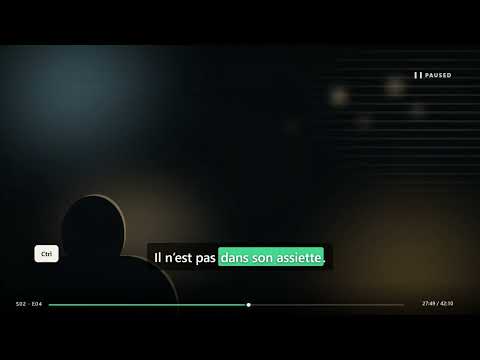
Subtitle Notes helps you watch series and films in the original language. It translates the meaning of the whole subtitle line, not a word in isolation. Highlight a line to get a natural translation, synonyms and an explanation of the figurative meaning. "No one wants a record" is not about a sporting record. Subtitle Notes reads the full line and explains it as a dubbing translator would: "nobody wants a criminal record". For an idiom, it also shows the literal image and the meaning it gives in that scene. WHILE WATCHING SERIES AND FILMS Hold Ctrl to make subtitles selectable in web players. It works on YouTube, Netflix, Playerjs and other sites. The video pauses while you select the line and read the answer. Release Ctrl and the player works normally again. WHILE READING Highlight text on any page to see what it means in that exact context. In Chrome's PDF viewer, use the right-click menu. Hold Ctrl+Alt while selecting to save the word or phrase directly to your library. An accidental save can be undone. ONE LIBRARY FOR THE EXTENSION, PHONE AND WINDOWS The extension saves words and lines you find while watching into one shared library. Sign in with the same Google account to open it on your phone and in the Windows app. The Windows app also works with VLC subtitles and text from other desktop programs. Find a line in the browser, then review it on your phone or computer. REVIEW Spaced repetition brings difficult words back sooner and familiar words later. Also included: pronunciation, encounter counts, Anki export, an excluded-sites list and an interface in 14 languages. Nothing is sent for translation until you select text yourself. https://app.subtitlenotes.workers.dev
0 out of 5No ratings
Details
- Version2.9.12
- UpdatedSeptember 17, 2026
- FeaturesOffers in-app purchases
- Size136KiB
- Languages14 languages
- DeveloperWebsite
Email
solutionalgorithms@gmail.com - Non-traderThis developer has not identified itself as a trader. For consumers in the European Union, please note that consumer rights do not apply to contracts between you and this developer.
Privacy

Subtitle Notes has disclosed the following information regarding the collection and usage of your data. More detailed information can be found in the developer's privacy policy.
Subtitle Notes handles the following:
This developer declares that your data is
- Not being sold to third parties, outside of the approved use cases
- Not being used or transferred for purposes that are unrelated to the item's core functionality
- Not being used or transferred to determine creditworthiness or for lending purposes
Support
For help with questions, suggestions, or problems, visit the developer's support site