


Overview
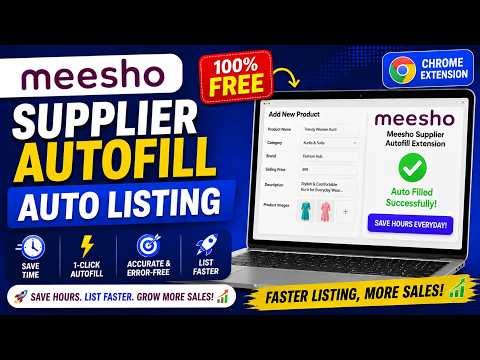
Capture Meesho supplier autofill profiles, sync them to your account, and run them later.
🛍️ MEESHO SUPPLIER AUTOFILL Speed up your Meesho listing workflow by capturing frequently used product details, saving them as reusable profiles, and applying them to supported Meesho Supplier listing forms. 🚀 KEY FEATURES ✅ Capture autofill profiles from supported Meesho Supplier forms ✅ Save and manage profiles through your VoxyCure account ✅ Autofill saved details with a few clicks ✅ Edit or delete saved profiles ✅ Reduce repetitive data entry and manual errors ✅ Manage autofill beside the listing page using a convenient side panel ✅ Sign in securely with Google ⚙️ HOW IT WORKS 1️⃣ Open a supported add or edit product page on the Meesho Supplier website. 2️⃣ Click the extension icon to open the side panel. 3️⃣ Capture the current form details or select an existing saved profile. 4️⃣ Review the selected information and start autofill. 5️⃣ Verify all details before submitting the listing. ⚠️ The extension does not submit product listings automatically. You remain responsible for reviewing and submitting every form. 🔐 PRIVACY AND SECURITY 🔹 Authentication begins only when you choose to sign in. 🔹 Only data required for account and autofill functionality is stored. 🔹 The extension accesses Meesho Supplier pages only to detect supported forms and perform capture or autofill actions requested by you. 🔹 The extension does not access unrelated websites. 🔹 Your personal data is not sold. 🔹 No third-party advertising is included. 🔑 PERMISSIONS 💾 Storage Maintains login information, preferences, cached profile data, and temporary autofill state. 👤 Identity Enables secure Google sign-in through Chrome’s authentication flow. 📌 Side Panel Keeps the profile manager available beside the Meesho Supplier form while you work. 🌐 Host Access Allows the extension to interact with supported pages on supplier.meesho.com and communicate with api.voxycure.com for authentication, profile synchronization, subscription features, and user-requested support. 👥 WHO IS IT FOR? Meesho suppliers who frequently create or edit product listings and want to: ⏱️ Save time on repetitive data entry 🎯 Maintain consistency across listings 📉 Reduce manual entry errors 📈 Focus more on growing their business ℹ️ Meesho Supplier Autofill is an independent productivity tool and is not affiliated with or endorsed by Meesho.
4.3 out of 511 ratings
Details
- Version1.1.3.0
- UpdatedOctober 16, 2026
- Size565KiB
- LanguagesEnglish
- DeveloperVoxycure InfotechWebsite
Golden Square, G-238, near D-MART Mota varachha surat, Gujarat 394101 INEmail
contact@voxycureinfotech.com - Non-traderThis developer has not identified itself as a trader. For consumers in the European Union, please note that consumer rights do not apply to contracts between you and this developer.
Privacy

Meesho Supplier Autofill has disclosed the following information regarding the collection and usage of your data. More detailed information can be found in the developer's privacy policy.
Meesho Supplier Autofill handles the following:
This developer declares that your data is
- Not being sold to third parties, outside of the approved use cases
- Not being used or transferred for purposes that are unrelated to the item's core functionality
- Not being used or transferred to determine creditworthiness or for lending purposes
Support
For help with questions, suggestions, or problems, please open this page on your desktop browser