

TabOrganix

Overview
A chrome extension for automatic grouping of tabs
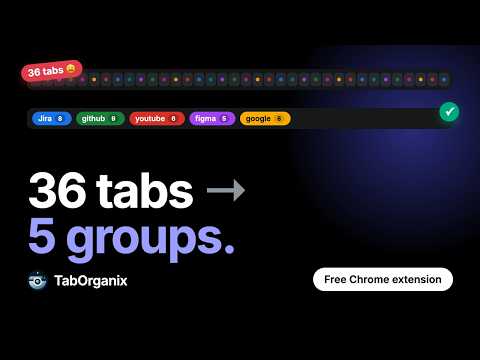
Too many tabs open? TabOrganix sorts them for you. Every time you open a tab, TabOrganix puts it in a group with other tabs from the same website. Each group gets its own color, so you can find what you need fast. WHAT IT DOES • Groups tabs by website, automatically • Gives each group its own color • Shows how many tabs are in each group • Sorts groups by name or by number of tabs • Removes small groups you don't need • Can group by subdomain (like mail.example.com) instead of the main site SIMPLE RULES Make your own rules that read like a sentence: "If the web address contains example.com/projects, put it in a group called Projects, make it blue, and pin it." Rules can group, pin, close, or move tabs. You can match by web address, website name, or a pattern. Not sure where to start? Add a ready-made rule template for common work and developer sites, then change it to suit you. SAVE YOUR WINDOWS Save all the tabs and groups in a window with one click. Open them again later, in the same window or a new one. Great for projects, research, or work you want to finish tomorrow. SKIP SOME SITES Don't want a site grouped? Add it to your skip list and TabOrganix will leave those tabs alone. PRIVATE BY DESIGN TabOrganix works only inside your browser. It does not collect, send, or sell any of your data. No account needed. FREE AND OPEN SOURCE The code is public for anyone to read: https://github.com/itssajan/tab-organix Found a bug or have an idea? Tell us here: https://github.com/itssajan/tab-organix/issues
0 out of 5No ratings
Details
- Version2.0.0
- UpdatedNovember 6, 2026
- Offered bySajan
- Size1.21MiB
- LanguagesEnglish
- Developer
Email
itssajan.dev@gmail.com - Non-traderThis developer has not identified itself as a trader. For consumers in the European Union, please note that consumer rights do not apply to contracts between you and this developer.
Privacy

This developer declares that your data is
- Not being sold to third parties, outside of the approved use cases
- Not being used or transferred for purposes that are unrelated to the item's core functionality
- Not being used or transferred to determine creditworthiness or for lending purposes