

Prompt Manager: Spark AI

Overview
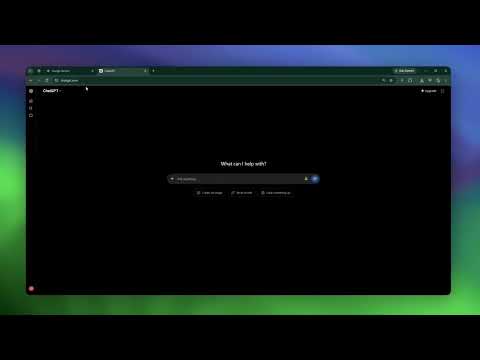
Save, organize, and auto-paste AI prompts instantly. The ultimate free prompt manager with a sleek sidebar for all your templates.
Stop digging through messy documents. Find your best AI prompts in 0.1 seconds. Spark is a fast, secure command center that lives directly in your browser sidebar. It organizes your prompt library and lets you inject text into any platform without ever leaving your tab. Why you need this: Wasted Time: Searching for that perfect prompt costs you hours. Distraction: Switching tabs breaks your focus and kills momentum. Privacy Fear: Storing your proprietary prompts on external servers is a security risk. How Spark solves it: 🖱️ Right-Click to Save: Select any text on any webpage → right-click → "Add to Spark." Your prompt is instantly stored in your library. No copy-paste juggling. ⚡ 1-Click Injection: Auto-paste any template directly into active text fields. (Plus a manual "Copy" button for 100% website compatibility). 🗂️ Smart Organization: Color-code folders and "favorite" your top snippets to recall commands in seconds. 🖥️ The Sidebar Library: Resize or collapse the overlay to keep your workspace clutter-free. 🔒 100% Local Storage: All data is saved in your browser. Zero tracking. Zero external servers. 💾 Export Backups: Migrate your library to a new device instantly with one secure file. 🌗 Adaptive Themes: Light and Dark modes that match your system preferences. Built for speed, not storage. Take control of your AI workflow today. ❓ FAQ: Is it safe to store my proprietary prompts in this extension? Yes. Unlike competitors that send data to the cloud, Spark saves everything locally in your browser storage. We do not collect, transmit, or sell your data—keeping your business prompts and templates 100% private.
5 out of 52 ratings
Details
- Version26.7.26
- UpdatedAugust 19, 2026
- Size181KiB
- LanguagesEnglish
- DeveloperWebsite
Email
slate.labs.hq@gmail.com - Non-traderThis developer has not identified itself as a trader. For consumers in the European Union, please note that consumer rights do not apply to contracts between you and this developer.
Privacy

Prompt Manager: Spark AI has disclosed the following information regarding the collection and usage of your data. More detailed information can be found in the developer's privacy policy.
Prompt Manager: Spark AI handles the following:
This developer declares that your data is
- Not being sold to third parties, outside of the approved use cases
- Not being used or transferred for purposes that are unrelated to the item's core functionality
- Not being used or transferred to determine creditworthiness or for lending purposes
Support
For help with questions, suggestions, or problems, visit the developer's support site