

Email Detective for Gmail: Identify ESPs & Check Authentication

Overview
See which ESP sent any email in Gmail. Detects 200+ providers and shows SPF/DKIM/DMARC authentication.
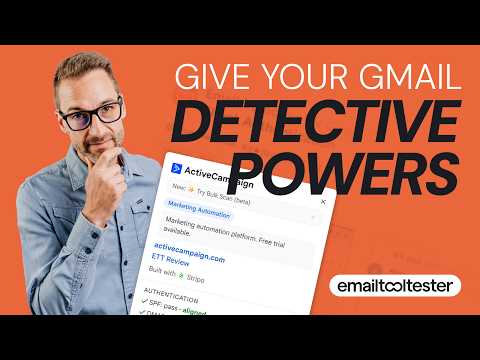
Ever wonder which email marketing tool a company uses? Email Detective tells you instantly, without your emails ever leaving your browser. Open any email in Gmail and see a "Sent via Mailchimp" (or Brevo, etc.) badge right on the subject line. Click it to see what's behind the email: the platform, its authentication (SPF, DKIM, DMARC), where that sender's emails land in Gmail, and anything a spam filter wouldn't like. ---- Using Outlook? There's an Outlook version too: https://chromewebstore.google.com/detail/email-detective-for-outlo/lfhppcapafocegboaeaejkdamebobafo ---- WHAT IT DETECTS: -200+ email service providers across marketing platforms, newsletter tools, CRM systems and transactional email services -Detects HubSpot, Klaviyo and many more -Infrastructure providers like SendGrid and Amazon SES, with smart detection that shows the actual marketing platform when possible -HTML builders like Stripo and BeeFree FEATURES: -Instant ESP (email service provider) detection when you open any email -Clickable badge with a details popup that leads with the problems it found -Inbox placement: where a sender's emails land in Gmail (inbox, Promotions or spam), measured across Email Detective users -Email authentication checker (SPF/DKIM/DMARC) + BIMI and VMC -Risk warnings: misleading links, link shorteners, emails too big for Gmail's clipping limit, images without alt text and more -GDPR checks: web fonts loaded from Google and other outside servers, the Impressum in German emails, your email address hidden in links -Shows whether it's a shared or dedicated IP (where it can be detected) -Bulk scanner: scan 50 emails at once -Works in inbox list view for previously opened emails YOUR PRIVACY: -Every email is analysed right in your browser. Its content, subject line and your email address are never sent anywhere. -We never see, store or share your emails. -What we do receive: anonymous stats on how brands send their emails, where they land and how readers engage with them, plus basic usage stats. No email content, no subject lines, no email addresses. -Bulk scans are never included. -Prefer to share nothing? Switch it off in Settings with one click. -Full details: https://www.emailtooltester.com/en/legal/#detective *How to audit your own deliverability in seconds*: -Send yourself a campaign from your own email marketing service. -Open it in Gmail and click the "Sent via" label. -You'll see SPF, DKIM, DMARC and BIMI laid out cleanly, plus any risk warnings. If something is missing or failing, the label shows a warning triangle. PERFECT FOR: -Email marketers researching competitors -Agencies evaluating client tech stacks -Deliverability specialists checking authentication -Anyone curious about the tools behind the emails they receive Want the bigger picture? Email Detective HQ shows which platforms brands use, where their emails land and who switched: https://detective.emailtooltester.com Built by EmailTooltester.com, the independent email tool review platform with 15+ years of testing experience. Free. Platform detection and authentication checks work without an account. Sign up (also free) to unlock inbox placement, BIMI and VMC, the bulk scanner and a "Check Email" button for emails whose platform we can't identify. © 2026 EmailTooltester. The extension, its detection patterns and data are proprietary (see the LICENSE file included in the package). Reuse requires written permission. Changelog: v2.1.303 - Improved risk factor warnings - Recognises more email platforms, including PersonaClick and Nitronews - Fixed: some emails no longer show the wrong delivery service v2.1.302 - New: a "What's new" note in the toolbar popup after each update, with a red dot on the icon until you open it - New: the popup now leads with the problems it found, the two most important first; the sending server's details move into "More details" - New risk factors: clipping limit exceeded, most images without alt text, your email address hidden in links as a code, etc. - New in "More details": the email's size against Gmail's clipping limit, its language (and when the words don't match it), alt text, and GDPR checks: fonts from Google, Adobe or Font Awesome, an Impressum in German emails, and your address in links - Improved: recognises additional niche ESPs v2.1.272 - Faster: large newsletters and emails with big attachments are checked about twice as fast v2.1.271 - Improved: fewer wrong platform labels on personal replies and on newsletters forwarded through a Google Group, and Survicate surveys are now recognized v2.1.263 - New: emails sent with Laposta are recognized, and coding frameworks (MJML, React Email) get their own "Coded with" line. - Minor improvements to the sign-up screen and to platform descriptions v2.1.257 - Various bug fixes and improvements v2.1.253 - New: two more risk warnings: a subject that pretends to be a reply, and words split into single letters in the email's code (hiding the real words) - New: emails sent with NGP VAN are recognized v2.1.246 - New: the popup shows when an email was made in SendGrid's own email editor v2.1.243 - Fixed: some emails sent with Mailchimp Transactional no longer show as Mailchimp - New: survey invitations sent with LimeSurvey are recognized - Changed: a DKIM key under 2048 bits is now called an "older key size", not a weak key: still accepted everywhere, but 2048 bits is the recommended size v2.1.237 - New: emails sent with Mailtrain and Cloudflare Email Service are recognized - Improved: emails sent with Mautic and Oracle Eloqua are recognized in more cases v2.1.233 - New: the popup shows when a countdown timer is built into the sending platform, for example "Countdown timer: built into Moosend" - New: the popup notes images copied out of Gmail into an email ("Images copied from Gmail") - New: newsletters sent by WordPress.com show that as their platform, and emails sent with TailoredMail are recognized v2.1.216 - New: the popup flags emails signed with a weak DKIM key (shorter than the 2048-bit standard), read straight from the email's signature - Email Detective now detects 200+ providers v2.1.211 - Fixed: emails sent with Flodesk show as Flodesk again, instead of Amazon SES - Improvements for bulk scans v2.1.207 - New: spots text copied out of Slack ("Pasted from Slack"), and text copied out of Google Docs or Word now says "Pasted from" too - Improved: Bulk Scan slows down as it goes and stops at 2,000 emails a day to avoid Gmail restrictions - Fixed: Bulk Scan could get stuck scanning the same page over and over once your browser ran out of room for saved results - Improved: emails sent with Dotdigital's transactional service and with Openstage, the fan platform for artists, are recognised - Fixed: your ESP collection no longer counts more platforms found than it lists v2.1.194 - New: warns when an email's unsubscribe link cannot work, because it points to nothing or to a placeholder like {{ unsubscribe }} that was never filled in, with the warning triangle on the badge - New: spots text pasted from Word for the web, and notes leftovers from Google Docs; both lines show their logos - Improved: emails sent with Maildroppa and Mailkit are recognised - Added stars on the badge for emails containing traces of ChatGPT, Claude or Gemini - New: the popup notes when an email still carries leftovers from Google Docs - Improved: detection for emails sent with Maildroppa - Improved activation screen. - Switching off "Contribute anonymous data" in Settings now also stops the basic usage stats v2.1.181 - Improved: emails sent with Stibee, Omnivery and two more are recognised - Other improvements for research participants v2.1.168 - Various detection improvements - Emails sent with AhaSend are recognised - Newsletters built with FeedOtter are recognised - LiveIntent ads are recognised under Dynamic content v2.1.160 - New: the popup notes when an email carries text pasted from Gemini, ChatGPT or other AI tools - New: the popup shows when an email is tracked with Litmus or Validity - Improved: Omnisend shops that send through Mailgun are recognised as Omnisend - Fixed: long details under More details, such as a Return-Path address, no longer run outside the popup v2.1.150 - Small bug fixes v2.1.145 - Fixed: Bulk Scan tries again when an email's details don't load the first time, instead of leaving it unidentified and other improvements - Improved: Pardot emails sent through Salesforce Marketing Cloud's servers are recognised as Pardot - Improved: emails sent with FeedBlitz, Adobe Journey Optimizer and one more are recognised v2.1.137 - Improved: newsletters sent with GetResponse from a company's own domain are recognised v2.1.133 - New: see where a sender's emails land in Gmail (inbox, Promotions or spam), measured across Email Detective users, for senders we have enough data on. Free with sign-up - Improved: the warning about a link that shows one address and goes to another now says why it matters: phishing emails often do this, so spam filters treat it as a warning sign v2.1.128 - Fixed: several small detection improvements - Old emails sent with Bronto, Oracle's shut-down ecommerce email platform, are recognised v2.1.120 - Fixed: the risk checks read Japanese, Chinese, Korean, Thai, Hebrew and Arabic emails correctly. - Mautic detection improved v2.1.94 - New: hide the badges in Gmail with the X on any badge. - Fixed: after the extension updates, an open Gmail tab no longer shows "No authentication data available" until you reload it - Fixed: an email with no DMARC result, common on older mail, no longer shows as a DMARC fail - Fixed: in Bulk Scan, a long platform name such as Mailchimp Transactional no longer runs into the Auth column v2.1.75 - New: Risk factors. The popup now lists what a spam filter would score on an email: a sender name claiming a brand its address does not match, link text pointing somewhere different from the link, public link shorteners, and image-only emails with almost no text, invisible characters hidden in the sender name. - The popup is tighter: delivery time now sits on the IP line, and the separate "Check reputation" row is gone - Now identified: Tigramail, Zeta Global, and the MJML email builder v2.1.15 - Fixed: on forwarded or replied-to mail, we could read details from the quoted message instead of the real one - Fixed: a newsletter forwarded from a personal mailbox is now recognised as a forward - Fixed: an email with no bounce address no longer shows the sender's own domain as one - KlickTipp detection improved, ZeptoMail added v2.1.13 - Several bug fixes v2.1.12 - Fixed: if you use Gmail in Japanese, Chinese or Korean, the bulk scan stopped after the first page. It now works in every language - We now record which language your mail client is displayed in, so we can tell when a change on Gmail's side affects people who don't use it in English. It is not linked to any email, and it is never shown publicly - Other bug fixes v2.1.9 - New senders recognised: Maropost, and an additional Marketo sending domain v2.1.6 - Detects RichRelevance - Fixed some detections being missed on emails with wrapped lines v2.1.2 - Fixed the extension needing a page refresh after it updates - Detects MoEngage, Shopware and Acrelia News v2.1 - Detects RD Station - You can now choose to contribute anonymous data after signing up - Clearer DMARC results when a domain publishes two records - Fixes to the "Check Email" button and the panel that opens from a badge v2.0 - As it's a very popular feature Check (every) Email is now on by default when you register, and you can switch it off right from the badge - Fixed emails from Proton Mail being reported as Postmark (both stamp a header with the same name) - Fixed a reply being credited to the newsletter it was replying to - Fixed "Got it" not closing the sign-up confirmation Previous notes have been archived.
4.9 out of 516 ratings
Details
- Version2.1.303
- UpdatedOctober 27, 2026
- Size622KiB
- LanguagesEnglish
- DeveloperTooltester S.L.Website
Pg. de St. Joan, 97 Eixample Barcelona, Barcelona 08009 ESEmail
contact@emailtooltester.com - Non-traderThis developer has not identified itself as a trader. For consumers in the European Union, please note that consumer rights do not apply to contracts between you and this developer.
Privacy

Email Detective for Gmail: Identify ESPs & Check Authentication has disclosed the following information regarding the collection and usage of your data. More detailed information can be found in the developer's privacy policy.
Email Detective for Gmail: Identify ESPs & Check Authentication handles the following:
This developer declares that your data is
- Not being sold to third parties, outside of the approved use cases
- Not being used or transferred for purposes that are unrelated to the item's core functionality
- Not being used or transferred to determine creditworthiness or for lending purposes
Support
For help with questions, suggestions, or problems, visit the developer's support site