


Overview
Extract and download SVG images from any website. Save vector graphics, icons, and logos in high quality SVG format.
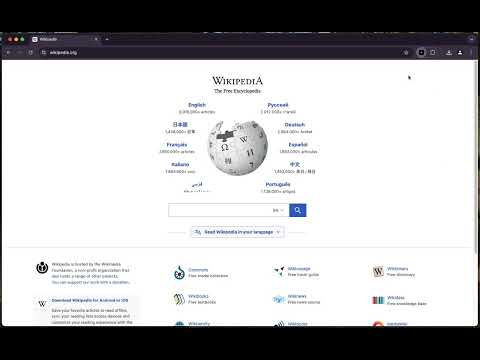
SVG Web Downloader & Extractor Almost every icon, logo, and illustration on the web is an SVG - the vector format that stays sharp at any size. The catch is that browsers give you no simple way to save one. Right-click usually hands you a PNG screenshot, or nothing at all. This extension fixes that. Open it on any page and it finds every SVG there - inline graphics, image files, CSS backgrounds, even sprite icons - and lets you preview and download them as real, editable vector files. What it does - Finds every SVG on the page automatically and shows a live preview of each one. - Downloads a single SVG with a filename you choose, or grabs them all at once as a ZIP. - Keeps the original vector data intact, so the file opens cleanly in Figma, Illustrator, Inkscape, or a code editor. - Runs entirely on your device. Nothing you browse is uploaded, logged, or tracked. How to use it 1. Install the extension and pin it to your toolbar. 2. Open any page with icons, logos, or illustrations. 3. Click the icon to see everything it found. 4. Page through the previews, then download the one you want - or all of them. Who it is for - Developers who need vector assets without digging through source or a CDN. - Designers collecting icon sets, logos, and reference material. - Anyone who wants the real SVG instead of a blurry screenshot. Open source and private The whole thing is open source. You can read exactly what it does, report a bug, or send a pull request: https://github.com/Flozad/svg-downloader There is no account, no sign-in, and no data collection. It only runs on the tab you are looking at, and only when you open it. Made by Flozad - Website: https://clasicwebtools.com - Twitter: https://twitter.com/lozards If it saves you time, a quick review or a star on GitHub genuinely helps.
3 out of 52 ratings
Details
- Version1.3
- UpdatedJuly 20, 2026
- Size176KiB
- LanguagesEnglish (United States)
- DeveloperWebsite
Email
clasicwebtools@gmail.com - Non-traderThis developer has not identified itself as a trader. For consumers in the European Union, please note that consumer rights do not apply to contracts between you and this developer.
Privacy

This developer declares that your data is
- Not being sold to third parties, outside of the approved use cases
- Not being used or transferred for purposes that are unrelated to the item's core functionality
- Not being used or transferred to determine creditworthiness or for lending purposes
Support
For help with questions, suggestions, or problems, visit the developer's support site