

CodeSavvy
11 ratings
)
Overview
Developer toolbox with advanced web manipulation tools. Unlock elements, modify text, change fonts, and more.
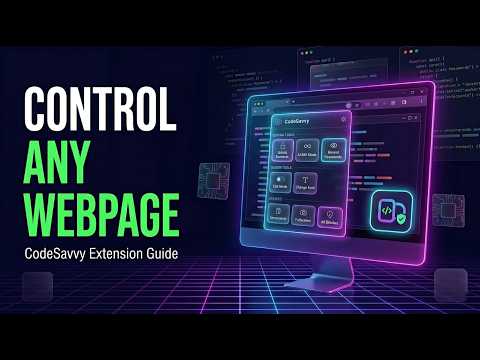
CodeSavvy is the all-in-one AI writing assistant, webpage unlocker, persistent element zapper, and web developer toolkit for Chrome. Polish your writing anywhere on the web, summarize long articles in seconds, vaporize annoying popups and sticky banners forever, bypass copy/right-click restrictions, and inspect live CSS—all from one lightweight, privacy-first extension. Works instantly out of the box with zero setup required! ━━━━━━━━━━━━━━━━━━━━━━━━━━ 🌟 WHY YOU'LL LOVE CODESAVVY ✍️ 1. Smart AI Writing Assistant (Zero Setup + Google Gemini Support) Select any text on any website and right-click (or use your custom keyboard shortcut, such as Ctrl+Shift+L once enabled in settings) to refine your writing in one click: • Works Out of the Box: Includes 50 free AI requests per day with zero API keys or account signup required, plus optional Google Gemini API key support for unlimited Pro/Flash requests. • 7 Built-in Writing Modes: Improve Text (conservative proofreader), Advanced Edit, Enhance Professionally, Make Casual, Prompt Engineer, Add Humor, and Roasted Mode. • Custom Right-Click Presets: Create, edit, and reorder your own custom AI prompts (e.g., "Translate to French", "Turn into Bullet Points") right in the context menu. • Protected Terms Dictionary: Lock down brand names, project codenames, technical terms, and version numbers so the AI never alters them. • Custom Global Instructions: Set persistent rules for dialect (US vs. UK English), tone, or formatting across all AI actions. • Safe Multi-Element Guard: Selecting across multiple paragraphs or an entire page? CodeSavvy automatically copies the refined text to your clipboard and opens an isolated preview card so complex page layouts never break. 🧠 2. AI Page Studio (Instant Summaries & Webpage Q&A) Turn lengthy articles, documentation, and research into structured insights: • ⚡ TL;DR Summary: Get a 2–3 sentence executive summary, key highlights, and estimated reading time. • 📌 Key Takeaways: Extract actionable lessons, metrics, and core arguments. • 💻 Tech Stack Breakdown: Identify frameworks, libraries, APIs, and architecture concepts mentioned on the page. • 👶 Explain Simple (ELI5): Translate dense technical jargon into plain, beginner-friendly language. • 💬 Ask Page Anything: Ask custom questions grounded directly in the current webpage's content. ⚡ 3. Persistent Element Zapper (Declutter Any Website Forever) Tired of cookie walls, floating widgets, newsletter overlays, and sticky headers blocking your view? • Point, Click & Vaporize: Hover over any distracting element and click to remove it with a smooth animation. • Remembers Per Website: Save your zapped elements per domain so they stay hidden automatically on every future visit—injected at document_start for zero flicker and zero layout shift. • Live Undo & Spotlight Preview: Undo removals on the fly (Ctrl+Z), pause hiding per site, or preview hidden elements with a pulsing spotlight beacon from the popup or settings. 🔓 4. Unlock Restricted Webpages & Text Utilities Take back control over websites that restrict how you browse and type: • Force Copy, Paste & Selection: Re-enable text selection (even inside Shadow DOMs) and bypass copy/cut/paste blocks. • Enable Right-Click: Restore the native browser context menu on sites that hijack right-clicking. • Unlock Disabled Elements: Enable disabled buttons, readonly inputs, and restricted form fields from the popup (or via shortcut if set in settings), remove maxlength character caps, and reveal hidden password fields for debugging. • Live Edit Mode: Toggle document.designMode from the popup (or via shortcut if set in settings) to edit text directly on any live webpage for quick mockups and screenshots. • Instant Text Casing & Highlighting: Effortlessly transform text into standard and custom letter casings or highlight important content on the page with a single click. • Arabic ↔ English Keyboard Fixer: Accidentally typed a paragraph with the wrong keyboard layout selected? Convert mistyped Arabic/English characters in place with one click. 🎨 5. Visual Inspector, Dark Mode & Developer Power Tools Built for designers, developers, and power users: • 📐 Non-Destructive Box & CSS Inspector: Hover over any element to inspect exact pixel dimensions, font family, colors, display mode, padding, and margins—and click to copy its complete CSS snippet. • 🎨 Color Studio & 0ms Pixel Eyedropper: Sample any pixel on your screen and copy colors in HEX, RGB, HSL, or CSS Variable format. • 🌙 Smart Dark Mode: Apply a high-contrast dark theme to bright websites while keeping images, videos, and SVGs intact. • 🔤 Custom Page Typography: Override hard-to-read webpage fonts with 16+ curated typefaces (including Lexend Deca, Atkinson Hyperlegible, and Poppins) without breaking code blocks or icon fonts. • 🖼️ Media & SVG Extractor: Scan the page for images, background graphics, videos, and inline SVGs with thumbnail previews and 1-click downloads. • 📱 Offline QR Code Generator: Generate a crisp QR code for the active tab URL completely offline to open pages on your phone. • 🧹 Site Storage Wiper & Hard Reload: Clear LocalStorage, SessionStorage, and cookies for the current domain, capture visible-tab PNG screenshots, or hard-reload bypassing cache. 🌐 6. Speaks Your Language & Matches Your Style • 22 Complete Locales: Fully localized in English, Arabic, Spanish, French, German, Chinese (Simplified & Traditional), Japanese, Korean, Portuguese (Brazil), Russian, Italian, Turkish, Dutch, Polish, Indonesian, Vietnamese, Thai, Hindi, Ukrainian, Swedish, and Persian—with full Right-to-Left (RTL) layout support. • Personalize your experience with over 7 distinct color accents across both light and dark modes. • Transformation History & Incognito Mode: Review side-by-side original vs. enhanced text logs, pause logging in Incognito Mode, set auto-delete retention windows, or export/import backups as JSON. ━━━━━━━━━━━━━━━━━━━━━━━━━━ ⌨️ CUSTOMIZABLE KEYBOARD SHORTCUTS Want to trigger tools without opening the popup? Because Chrome often leaves extension shortcuts unassigned by default to avoid conflicts with other extensions, you can set or customize your own keybindings anytime: 1. Click the Keyboard icon (⌨️) in the CodeSavvy popup or open Settings -> "Manage Shortcuts in Chrome" (chrome://extensions/shortcuts). 2. Assign your preferred keys to any action (recommended bindings below): • Run Favorite AI Action on Selected Text — Recommended: Ctrl+Shift+L (Cmd+Shift+L on Mac) • Unlock Disabled Page Elements — Recommended: Ctrl+Shift+E (Cmd+Shift+E on Mac) • Toggle Live Page Edit Mode (designMode) — Recommended: Ctrl+Shift+Y (Cmd+Shift+Y on Mac) • Hard Reload Active Tab & Bypass Cache — Recommended: Ctrl+Shift+R (Cmd+Shift+R on Mac) ━━━━━━━━━━━━━━━━━━━━━━━━━━ 🔒 PRIVACY-FIRST & MINIMAL PERMISSIONS • Minimal Permission Footprint: Requests only the essential permissions needed to operate on the active tab—with zero host permission warnings and zero background tracking. • 100% Local Storage: Your preferences, custom presets, zapped element rules, and optional API key stay locally on your device. • Direct Cloud Connection: When using your own Google Gemini API key, requests go directly from your browser to official Google endpoints. Install CodeSavvy today and supercharge how you write, browse, and build on the web!
5 out of 511 ratings
Details
- Version2.4.4.7
- UpdatedOctober 20, 2026
- Offered byCodeSavvy
- Size492KiB
- Languages22 languages
- Developer
Email
malaadin192@gmail.com - Non-traderThis developer has not identified itself as a trader. For consumers in the European Union, please note that consumer rights do not apply to contracts between you and this developer.
Privacy

This developer declares that your data is
- Not being sold to third parties, outside of the approved use cases
- Not being used or transferred for purposes that are unrelated to the item's core functionality
- Not being used or transferred to determine creditworthiness or for lending purposes