

FramioCam - Screen Recorder & Screenshot Studio

Overview
Screen recorder with webcam and audio. Capture full-page screenshots, edit videos and images, and export MP4, WebM, GIF or PNG.
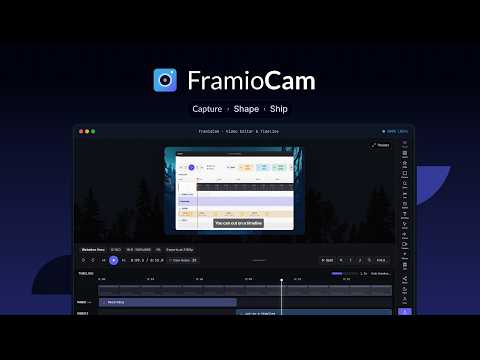
FramioCam is a Chrome screen recorder with webcam, full-page screenshot capture, and a built-in video and image editor. Record tutorials, create product demos, capture bugs, and turn screenshots or screen recordings into polished content without switching between multiple tools. SCREENSHOTS & IMAGE EDITING Capture the visible part of a webpage, select an area, or take a full-page scrolling screenshot. Capture multiple pages or import images into the built-in screenshot editor. Make your screenshots presentation-ready with macOS and Windows-style window frames, custom backgrounds, cropping, and annotations. Add arrows, shapes, text, highlights, numbered steps, magnifiers, and blur effects to explain important details. Copy images to your clipboard, download PNG files, or export multiple screenshots as a ZIP. Reopen recent captures and pin screenshots for quick access. SCREEN RECORDING WITH WEBCAM & AUDIO Record a browser tab, your screen, a window, or a selected region. Add your webcam and microphone narration, customize the camera overlay, and capture tab or system audio when supported by your browser and operating system. Create software tutorials, product walkthroughs, demonstrations, and visual explanations directly from Chrome. BUILT-IN VIDEO EDITOR Edit your recordings without switching to a separate video editing application. - Trim, split, and rearrange clips on a multi-track timeline. - Add zoom effects, cursor highlights, and click indicators. - Insert text, annotations, transitions, and audio. - Adjust playback speed, audio volume, and camera placement. - Import supported video files and edit them alongside recordings. Export your finished videos as MP4 or WebM, create short GIFs, or save a video frame as PNG. Available formats and resolutions depend on your device and plan. MADE FOR YOUR WORKFLOW FramioCam helps you: - Record product demos and feature walkthroughs. - Create screen recording tutorials and educational videos. - Capture and annotate bugs for development teams. - Prepare screenshots for documentation and support. - Explain complex workflows with visuals. - Create polished screenshots and videos for sharing. PRIVACY & LOCAL PROCESSING Your screenshots, recordings, and edits are processed locally on your computer. FramioCam does not upload your media to its own servers. Optional Google Drive integrations transfer selected media or projects to the connected provider. Licence validation and product usage reporting communicate with FramioCam's services. See our privacy policy for details. FREE TO GET STARTED Try 50 screenshot captures without an account. Activate a free licence key to remove that local capture limit. Record and edit videos without an account. Video export requires a verified free or paid account. Free Studio exports include a FramioCam watermark. Pro removes the watermark and provides additional export and eligible cloud features. CAPTURE. EDIT. EXPORT. Install FramioCam and create screenshots and screen recordings in one Chrome extension. Website: https://framiocam.com/ Privacy: https://framiocam.com/privacy Support: https://framiocam.com/contact
5.0 out of 529 ratings
Details
- Version1.1.12
- UpdatedOctober 24, 2026
- Size3.19MiB
- LanguagesEnglish
- DeveloperM M Tanjil Hasan RatulWebsite
27/12, Pallabi, Mirpur 12, Dhaka, Bangladesh Dhaka 1216 BDEmail
ratuljh@gmail.comPhone
+880 1915-170777 - TraderThis developer has identified itself as a trader per the definition from the European Union and committed to only offer products or services that comply with EU laws.
Privacy

FramioCam - Screen Recorder & Screenshot Studio has disclosed the following information regarding the collection and usage of your data. More detailed information can be found in the developer's privacy policy.
FramioCam - Screen Recorder & Screenshot Studio handles the following:
This developer declares that your data is
- Not being sold to third parties, outside of the approved use cases
- Not being used or transferred for purposes that are unrelated to the item's core functionality
- Not being used or transferred to determine creditworthiness or for lending purposes
Support
For help with questions, suggestions, or problems, visit the developer's support site