

OrgView 360
5 ratings
)
Overview
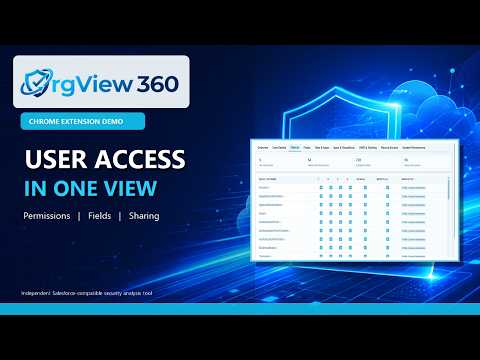
Review user access and security configuration in the active Salesforce organization.
OrgView 360 provides a consolidated Salesforce access and security view for the organization open in your current browser tab. Select any active user to review their profile, assigned permission sets, role, system permissions, object permissions, field access, tabs and applications, Apex classes, and Visualforce pages. Global Search helps locate permissions and metadata by label or API name, while direct links open the related Salesforce Setup page for further investigation. Review organization-wide defaults (OWD), sharing configuration, and effective access to a specific Salesforce record. Where Salesforce exposes the information, OrgView 360 identifies access sources such as ownership, object-level View All or Modify All permissions, sharing rules, manual sharing, teams, territories, and Apex-managed sharing. Large permission datasets are loaded only when their tab is opened, helping the extension remain responsive in organizations with extensive metadata. Results are limited to information the authenticated Salesforce user is authorized to access. OrgView 360 communicates directly with the active Salesforce organization. Salesforce credentials and retrieved organization data are not sent to the extension developer, sold, or used for advertising. OrgView 360 is an independent product and is not affiliated with, endorsed by, or sponsored by Salesforce, Inc. The wording includes relevant search terminology naturally without excessive keyword repetition that could trigger another keyword-spam rejection. Post Suggestions: https://docs.google.com/forms/d/e/1FAIpQLScLhjfHFCnPcPhQnuMfcw3vtFMEXJNAl2W1zNNbmXkqPEK8XQ/viewform
5 out of 55 ratings
Details
- Version1.0.2
- UpdatedSeptember 22, 2026
- Offered byPranav Rane
- Size485KiB
- LanguagesEnglish
- Developer
Email
ranep001@gmail.com - Non-traderThis developer has not identified itself as a trader. For consumers in the European Union, please note that consumer rights do not apply to contracts between you and this developer.
Privacy

OrgView 360 has disclosed the following information regarding the collection and usage of your data. More detailed information can be found in the developer's privacy policy.
OrgView 360 handles the following:
This developer declares that your data is
- Not being sold to third parties, outside of the approved use cases
- Not being used or transferred for purposes that are unrelated to the item's core functionality
- Not being used or transferred to determine creditworthiness or for lending purposes