


Overview
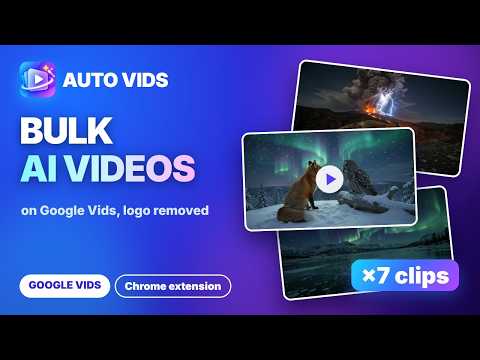
Automate Google Vids: batch videos from a prompt list, with start and component images, a queue, 1080p upscale and auto-download.
Auto Vids - batch automation for Google Vids (docs.google.com/videos). Paste a list of prompts, press Start, and every video is saved to your computer automatically. Google Vids makes great AI videos, but one prompt at a time. Auto Vids adds the production line, so a whole batch runs while you do something else. WHAT IT DOES 🎬 Three tabs, one panel, with a help popup • Text → Video: describe the clip in words, one row per prompt • Image → Video: the video starts from your Start image and moves as the prompt says • Components → Video: up to 3 images per row (characters, objects, scenes), called in the prompt with @name 📝 Prompts and settings • Paste prompts or import a TXT / Excel (.xlsx) file: one prompt per line, or blocks split on a blank line • Orientation, resolution and video lengths come from the server, so they always match Google Vids • Duration slider, plus "Custom duration": fully random, by formula (videos per length) or by a [6s] tag in each prompt • The top bar shows the Google Vids seconds left, and Auto Vids waits instead of overspending them 🔼 Upscale • Upscale a finished clip to 1080p from its row or with the toolbar "Upscale" button, on the Google account that made it; if it fails, the original is kept 🧩 Reference images • Add images row by row or use 1 image for all rows; drag & drop onto a cell • Reference image library: name your images once and they are attached when the name appears in the prompt (By keyword or Exact) ⚙️ Run queue • Queue manager: tasks from all three tabs run in order; edit, skip or delete any task • Pause / Stop, Retry failed and Run selected 💾 Saving and results • Auto-download to your Downloads folder, a subfolder per task, with file-naming patterns • The Gemini logo is removed from every video automatically, on by default, right in your browser with the same result as the G-Labs Studio desktop app; turn on "Show Gemini logo" to keep it • Full-size player for every result • Session saved and restored; the batch keeps running even when the control window is closed • "Check and reclaim file naming" button, for when another extension renames your downloads 🌐 11 interface languages: English, Tiếng Việt, 中文, हिन्दी, Español, Português (BR), Русский, বাংলা, اردو, Türkçe, ไทย 💳 PLANS • The Lite plan is all you need for Auto Vids. The same Lite plan also covers Auto Flow, Auto Vibes, ChatGPT Image Auto and Auto Pics. • Plus and Max are the plans of the G-Labs Studio desktop app, and they include the extensions too. • Free Basic trial with small limits: 1 task, 5 prompts, 1 row at a time. • Want the most complete toolset? Try the G-Labs Studio desktop app: duckspace.net/g-labs-studio HOW TO USE 1. Install Auto Vids and open it from the toolbar 2. Sign in with Google to load your plan, then sign in to Google Vids with the default Google account of your Chrome profile 3. Pick a tab, paste your prompts, choose the settings, press Start NOTES • Requires a Google account with access to Google Vids. Videos are made by your own Google Vids account and use its seconds of video. • No passwords are collected. Your prompts, images and videos stay in your browser; only your sign-in email is sent to the licence server. • Auto Vids is an independent tool and is not affiliated with or endorsed by Google.
0 out of 5No ratings
Details
- Version1.0.0
- UpdatedNovember 10, 2026
- Size421KiB
- Languages11 languages
- DeveloperWebsite
Email
duckmartians@googlegroups.com - Non-traderThis developer has not identified itself as a trader. For consumers in the European Union, please note that consumer rights do not apply to contracts between you and this developer.
Privacy

This developer declares that your data is
- Not being sold to third parties, outside of the approved use cases
- Not being used or transferred for purposes that are unrelated to the item's core functionality
- Not being used or transferred to determine creditworthiness or for lending purposes
Support
For help with questions, suggestions, or problems, please open this page on your desktop browser