


Overview
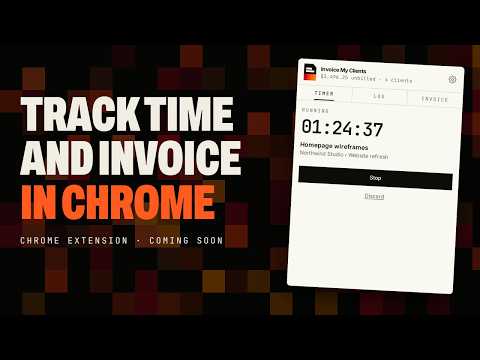
Track billable time in one click and turn it into a sent invoice with Invoice My Clients.
Track your billable time from the browser and turn it into an invoice without leaving the page you're on. Invoice My Clients: Time Tracker works with your Invoice My Clients account. Time you track here shows up in the web and phone apps, and the other way round. TRACK TIME • Start a timer from the toolbar, pick a client and project, and see the hourly rate that will apply. • Press Alt+Shift+T anywhere to start or stop the timer. • Right-click a page and choose "Start timer for this page" to time it under the page title. • Select text, right-click and choose "Log time" to use it as the description. • Log time by hand with a duration, a date and whether it's billable. • One timer per account: start it here and stop it on your phone or on the web. • The toolbar badge shows how long the timer has been running. DON'T LOSE TIME • If you step away, the extension asks what to do with the idle time: keep it, discard it, or stop at the moment you left and start a new timer. • Reminders you can change or turn off in settings: a timer still running at the end of the day, a weekly summary of unbilled time, and (off by default) nothing logged on a weekday. • Budget alerts at 80% and 100% of a project's hours. • Offline? Starting, stopping and logging time are saved on your computer and sent when you're back online. INVOICE • See unbilled hours and amounts for every client. • Pick the entries, group the lines by task, day or week, and check the total. • Send the invoice to your client's email, or save it as a draft. • Copy the payment link, and get a notification when your client views the invoice and when it's paid. • Add a client or a project without leaving the extension. SIGN-IN The extension has no password form. Click "Sign in to Invoice My Clients", sign in on invoicemyclients.com the way you usually do, and approve the connection. You can disconnect from the extension's settings at any time. PLANS Requires an Invoice My Clients account. Time tracking is included on the Professional plan and above. On the Free and Starter plans, your first time entry starts a 14-day time tracking trial. PRIVACY The extension talks only to Invoice My Clients. It can't read or change the websites you visit. It reads a page's title only when you right-click and choose "Start timer for this page", and the text you selected only when you right-click and choose "Log time".
0 out of 5No ratings
Details
- Version0.1.0
- UpdatedNovember 5, 2026
- FeaturesOffers in-app purchases
- Size167KiB
- LanguagesEnglish
- DeveloperDRYHURST CorporationWebsite
2501 Chatham Rd Pmb R Springfield, IL 62704-4188 USEmail
jonathan@dryhurst.ioPhone
+1 708-664-9771 - TraderThis developer has identified itself as a trader per the definition from the European Union and committed to only offer products or services that comply with EU laws.
- D-U-N-S120319325
Privacy

Invoice My Clients: Time Tracker has disclosed the following information regarding the collection and usage of your data. More detailed information can be found in the developer's privacy policy.
Invoice My Clients: Time Tracker handles the following:
This developer declares that your data is
- Not being sold to third parties, outside of the approved use cases
- Not being used or transferred for purposes that are unrelated to the item's core functionality
- Not being used or transferred to determine creditworthiness or for lending purposes
Support
For help with questions, suggestions, or problems, please open this page on your desktop browser