

Tab Volume Manager

Overview
Control tab volume, shape sound with an equalizer, and unlock advanced Pro audio tools.
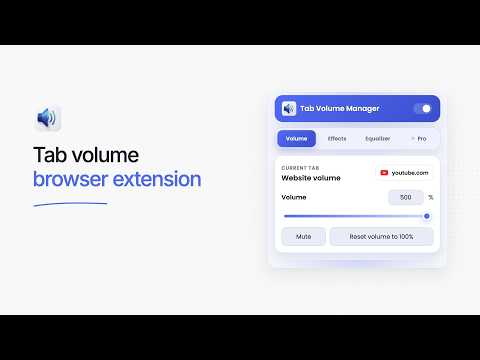
Take full control of the audio in every browser tab. Tab Volume Manager lets you adjust tab volume, enhance sound and fine-tune audio with an equalizer. Settings are remembered per website, with light and dark themes and a global power toggle. FREE FEATURES • Per-tab volume control up to 500% • Instant mute and volume reset • Bass Boost and Voice Clarity effects with adjustable intensity • 6-band equalizer with one custom preset • Per-website settings • Light and dark themes • Local audio processing TAB VOLUME MANAGER PRO • Stereo Tools: left/right balance, channel swap and stereo width from mono to wide • Volume control up to 1500% • 10-band equalizer • Unlimited custom presets • Smart Limiter to reduce harsh digital clipping • Adaptive Volume to balance quiet and loud moments • Movie Dialogue mode for clearer speech • Multi-tab Mixer with volume, mute, effects and EQ for each website tab • Prepare tab settings before playback and apply them when audio starts • Sleep Timer with a gentle fade-out Try every Pro tool free for 7 days. No account or payment card is required, and there is no automatic charge. Start or cancel the trial from the Pro tab. When it ends, Free features keep working and your saved presets stay safe. Pro is optional and costs $12.49 as a one-time payment for a lifetime license, available through the official Tab Volume Manager website. Existing licenses remain supported. Tab audio is processed locally while the extension is active. Pro license verification and trial eligibility use the licensing service. Trial records are linked to a random installation identifier; no browsing history or audio is uploaded.
0 out of 5No ratings
Details
- Version1.6.0
- UpdatedOctober 19, 2026
- Offered byStefan Mihajlovic
- Size218KiB
- LanguagesEnglish
- Developer
Email
stefan@optiflowz.com - Non-traderThis developer has not identified itself as a trader. For consumers in the European Union, please note that consumer rights do not apply to contracts between you and this developer.
Privacy

Tab Volume Manager has disclosed the following information regarding the collection and usage of your data. More detailed information can be found in the developer's privacy policy.
Tab Volume Manager handles the following:
This developer declares that your data is
- Not being sold to third parties, outside of the approved use cases
- Not being used or transferred for purposes that are unrelated to the item's core functionality
- Not being used or transferred to determine creditworthiness or for lending purposes
Support
For help with questions, suggestions, or problems, please open this page on your desktop browser