

lazee.dev: AI Job Application Autofill & ATS Resume Checker

Overview
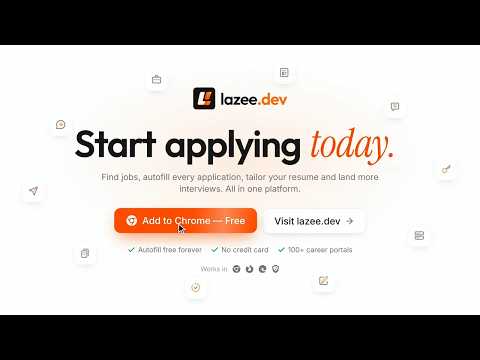
Autofill job applications from your profile. AI answers, cover letters, free ATS resume checker, tailored resume builder, cold DMs.
Autofill job applications in seconds and stop typing the same details into every form. This AI job application assistant fills forms from your saved profile, writes answers to open-ended questions in your own voice, checks your resume against the job with a free ATS score, and builds a one-page resume tailored to each posting. Save your profile once on lazee.dev: contact details, work experience, education, projects, skills, links, notice period, current CTC and expected salary. The extension fills them into application forms on 100+ job boards, applicant tracking systems and company career pages, for full-time jobs and internships alike. For the questions a profile can't answer, like "Why do you want to join us?", it writes an answer built from your real experience and the role you're applying for. It never submits an application for you: you review everything and press Submit yourself. WHAT YOU GET ▸ Job application autofill: free and unlimited A small button appears on form fields. Fill them from your saved profile, or open the Profile Data panel and click any value to insert it (Shift+click copies it). Works on text fields, dropdowns, radio buttons, resume uploads and profile photo uploads. No AI, no credits, no limit. Edits you make on the website reach the extension right away. ▸ AI answers and cover letters Click the button on a question and get a first-person answer based on your profile. It follows what the form asks for (word limits, bullet points, salary breakdowns), takes your own steering notes, and never claims a work authorization, language or certification you haven't listed. Insert it, copy it, or save it to your library. Keep a cover letter in your profile to drop into any form, or click the button on a cover letter box to have the AI write one for that job. Simple fields like name, email or "Do you need visa sponsorship?" are answered straight from your profile at no cost. ▸ Express Fill (Pro) It scans the whole application and lists every question. Tick the ones you want, and it answers all of them in one run and attaches your chosen resume, plus your profile photo where the form asks for one. You see the credit cost before anything is generated. ▸ Reads the job description for you It picks up the job description from the page on popular applicant tracking systems, job boards and most career pages, even on apply pages that hide it. You can also paste one, or fetch it from a job link. It's remembered for that job, and you decide per site whether AI answers use it. ▸ ATS resume checker and match score: free, runs offline See how well you fit a job the way a keyword-based applicant tracking system would screen you: a 0-100 score, a breakdown by skills, experience, role fit and education, and lists of matched, related and missing keywords. It tells required skills from nice-to-have ones and warns you when a location or visa requirement clashes with your preferences. When the posting lists its pay, it shows whether that's lower than, in line with or higher than your expected salary, converting other currencies at the day's rate; this is for your information and never changes the score. It runs inside the extension and costs nothing. It also scans the uploaded PDF you pick (your primary one by default) right on your device and counts what your profile leaves out, so you can switch versions and see which CV fits the job best. Run it from the extension's panel, from the popup for the job in your current tab, or from the "ATS match" button it adds to listings on popular job boards and career sites and to every listing on our own job board. Pro adds an AI rescore with strengths, gaps and profile fixes. ▸ Tailored resume builder: free, built offline Under the match score, it writes your profile up for that job as a one-page PDF: the skills the posting asks for first, the lines that show them kept, its keywords in bold, trimmed until it fits one page. A classic single-column, ATS-friendly layout with real text that parsers read cleanly. It is built inside the extension in milliseconds, sends nothing anywhere, costs nothing and never adds anything your profile doesn't say (a thin profile is filled in from the resume you uploaded), except the skills from the posting you tap to confirm you have, which go into its skills line and lift the match. Download it, or pick it first in the resume picker to attach it straight to the form. With the AI rescore, tick "Also polish my tailored resume with AI" (+4 credits, or 0 with your own key) to have its bullets rewritten in the job's own words; Pro members can save the polished PDF to their profile. ▸ Saved Q&A library Write your best answers once ("Tell me about yourself", "The hardest bug you fixed"), then search them inside any form and insert one with a click. ▸ Cold DMs and recruiter outreach (Pro) Draft personal messages to recruiters, hiring managers and founders right where you write them: your email compose window, social DMs, and the messages, InMail and connection notes of the biggest professional network, where a note is kept within its character limit. Pick a message type (job inquiry, networking, collaboration, freelance pitch or your own) and a tone (Professional, Casual, Friendly or Gen Z). ▸ More than one resume Keep different versions of your resume (1 on Free, up to 10 on Pro) and choose which one to attach before you apply. You can also use the resumes you saved in the builder on our website: switch the picker to Builder, search them and score any of them in the ATS match, on every plan. Attaching one as a PDF is part of Pro; on Free, one Pro Pass unlocks a resume for 30 days, and a failed attach gives the pass back. ▸ Bring your own AI Use the built-in AI credits, or connect your own key from one of the major AI providers or another compatible AI service, or a local model running on your computer. With your own key, AI features cost 0 credits, and the key stays encrypted in your browser's extension storage, tied to your account: it is only used while you are signed in, so someone else signing in on the same browser can't use it. If you want the same keys in your other browsers and on your phone, you can choose to save them, encrypted, to your account; this is off until you turn it on, and a local model always stays on your computer. Your AI requests go straight to your provider, never through our servers. WHERE IT WORKS It works on 100+ job boards, applicant tracking systems, career pages and online form builders. It turns on by itself on the most popular ones and wherever you write cold DMs. On any other job site or company career page, switch it on once from the popup and it remembers that site. It stays off on sites that aren't about hiring. See every supported site at lazee.dev. GET STARTED IN 3 STEPS 1. Install the extension and sign in with Google or an email link. The extension signs in by itself. 2. Fill in your profile once, or upload your resume PDF and let the extension fill it for you. 3. Open any job application and click the button on any field. FREE AND PRO Free: unlimited autofill, the ATS match score, the tailored resume for each job, job description detection, Saved Q&A, 1 uploaded resume, your own AI key, and monthly AI credits for single answers. Pro adds Express Fill, Cold DMs, the AI ATS rescore with the resume polish, faster AI models, saving polished resumes to your profile, up to 10 uploaded resumes, attaching your builder resumes, and a much bigger monthly credit allowance. On Free you can still try Pro features with Pro Passes, which you earn by inviting friends. Plans and prices: https://lazee.dev/#pricing PRIVACY • You need a free account. Your profile is stored there so the website and the extension stay in sync. • When you use an AI feature, the question and the profile details it needs are sent to the AI model you picked. The AI resume polish also sends the resume draft, never your name or contact details. The offline resume sends nothing. • Your own AI keys stay in your browser, unless you choose to save them, encrypted, to your account. • Job links you fetch are read by your browser without your cookies. Full policy: https://lazee.dev/privacy
5 out of 52 ratings
Details
- Version2.8.1
- UpdatedNovember 11, 2026
- FeaturesOffers in-app purchases
- Size592KiB
- LanguagesEnglish
- DeveloperWebsite
Email
tusharsoni014@gmail.com - Non-traderThis developer has not identified itself as a trader. For consumers in the European Union, please note that consumer rights do not apply to contracts between you and this developer.
Privacy

lazee.dev: AI Job Application Autofill & ATS Resume Checker has disclosed the following information regarding the collection and usage of your data. More detailed information can be found in the developer's privacy policy.
lazee.dev: AI Job Application Autofill & ATS Resume Checker handles the following:
This developer declares that your data is
- Not being sold to third parties, outside of the approved use cases
- Not being used or transferred for purposes that are unrelated to the item's core functionality
- Not being used or transferred to determine creditworthiness or for lending purposes
Support
For help with questions, suggestions, or problems, please open this page on your desktop browser