


Overview
Build Better AppSheet Apps: expression editor, snippets, dark mode, app search, command palette, color presets and simulator PiP.
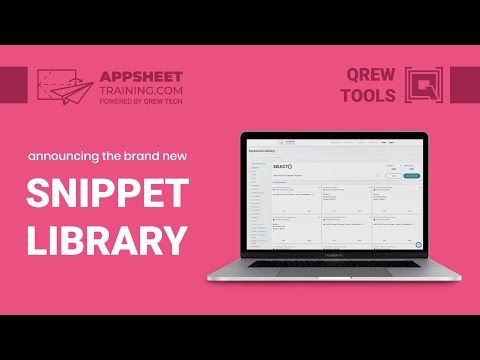
Build Better AppSheet Apps A Free Toolkit for Building Better AppSheet Apps NEW IN VERSION 5! A massive upgrade - DARK MODE for the whole AppSheet editor! On by default. Flip it with the moon in the toolbar, then pick a Dark Blue or Grey background and your own accent color. - COMMAND PALETTE: press ⌘K (Mac) or Ctrl+K (Windows) and just type to add, edit or jump to any table, column, view, action, slice, format rule or bot. You can even download your app template as JSON. (Rebind the shortcut if you like!) - APP SEARCH: a search bar in the editor header finds tables, columns, virtual columns, views, actions and bots as you type, typos and all. Turn on Deep Search to look inside expressions and descriptions too. - APP INSIGHTS: the Toolbox reads your app's definition and flags what needs attention, like apps anyone with the link can open, missing security filters, virtual columns that slow down every sync, hard-coded email addresses and more. Each one comes with a fix and, where we have one, a how-to video you can watch right inside the editor. - COLOR PICKER & SAVED COLORS for Format Rules and Theme & Brand. Save a color once and reuse it in every app. Format rules now show their colors right in the list. - FLOATING SIMULATOR: pop the mobile preview out of its panel and keep it on screen while you work anywhere in the editor. - A CLEANER EDITOR: roll the rarely used sidebar items into a "More tools" menu, split Views and Format Rules into their own buttons, hide toolbar clutter, and swap the top-left logo for your own icon. - ONE DRAWER FOR EVERYTHING: Snippets, Schema, Views, Insights, Docs and Settings, one click from the gear in the toolbar. Key Features include: - A structured Text Editor Overlay on Expression Assistant fields that color codes expression names, matching parentheses, static string values and more! Now with smarter AUTOCOMPLETE that knows your tables, slices, views, columns and Enum values, separate Light and Dark color themes, adjustable tab size, and a one-click Clean Up that formats your expression for you. Prefer the native editor? Switch between Toolbox and Standard any time. - Common Expressions that you use can be "Snipped" and stored* in the Snippets tab right inside the Expression Assistant (and in the sidebar) for easy access. Search them by title or content! - Turns Expression Library items into links that open the AppSheet Documentation in the sidebar, now matching your Dark or Light mode. - Shows all Data Tables, Columns, and Views inside your app with Quick actions to insert them into your editor. - Collate and Process AppSheet Recovery files into Table specific CSV files for easy upload into your live data tables. *These snippets are stored in local browser memory, so clearing your browser memory WILL DELETE any saved snippets. You can optionally link your Snippets with your AppSheetTraining.com account, which will allow them to be accessed on any device you're logged into. NO MORE ACCIDENTALLY DELETED SNIPPETS!! Yayy!! ** App Insights, search and the command palette all run inside your browser. Your app definition is never sent anywhere. *** You can review our Privacy Policy at this link https://docs.google.com/document/d/1_KQd5Q9r1UXgKUysqX4rI5nlDdhUzSmYQmxz58w9sT4
4.1 out of 553 ratings
Details
- Version5.0
- UpdatedOctober 27, 2026
- Size966KiB
- LanguagesEnglish (United States)
- DeveloperQrew LLCWebsite
1701 Southwest Parkway 108 College Station, TX 77840 USEmail
stefan@qrewtech.comPhone
+1 979-450-5176 - TraderThis developer has identified itself as a trader per the definition from the European Union and committed to only offer products or services that comply with EU laws.
- D-U-N-S047554836
Privacy

AppSheet Toolbox has disclosed the following information regarding the collection and usage of your data. More detailed information can be found in the developer's privacy policy.
AppSheet Toolbox handles the following:
This developer declares that your data is
- Not being sold to third parties, outside of the approved use cases
- Not being used or transferred for purposes that are unrelated to the item's core functionality
- Not being used or transferred to determine creditworthiness or for lending purposes
Support
For help with questions, suggestions, or problems, please open this page on your desktop browser