


Overview
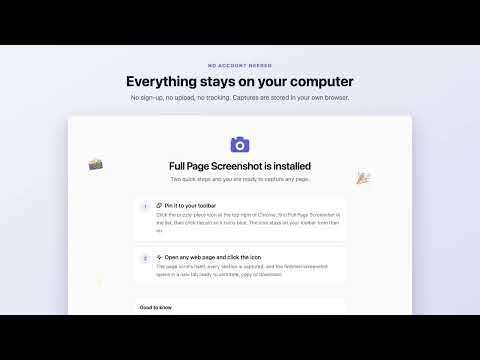
Take a full page screenshot of any website in one click. Scrolling capture, annotate, then save as PNG, JPEG or PDF. No sign-up.
Capture full webpages with Goto Full Page, then edit and export them as PNG, JPEG, or PDF. Click the extension icon or press Alt+Shift+P. Goto Full Page scrolls and stitches the page locally, then opens a workspace to review, annotate, and save your capture. CAPTURE • Full-page and visible-area screenshots • Vertical and horizontal scrolling, lazy-content warm-up, and handling for sticky elements • Nested scrolling panels and embedded frames, with optional website access when needed • Temporary hiding of common popups and backdrops during full-page capture • Full-resolution image parts for very long pages • Cancel, retry, or retake a capture EDIT AND EXPORT • Crop, zoom, and pan • Add text, arrows, shapes, and emoji stickers • Blur selected areas before sharing • Move or remove annotations, with undo and redo • Download PNG, JPEG, or image-based PDF, or copy a PNG • Customize image quality, filenames, download folders, PDF paper size, and smart page breaks • Search your local screenshot library and download or delete selected captures together HOW TO USE 1. Open the webpage you want to capture. 2. Click Goto Full Page or press Alt+Shift+P. 3. Keep the tab visible and avoid scrolling or resizing while capture runs. 4. Review, edit, and export the result. PRIVACY Screenshot processing happens locally on your device. Captures and preferences are stored in the extension's local browser storage. The extension does not upload your screenshots to an external server. Optional website access is used for embedded-frame capture when you grant it. LIMITATIONS Chrome blocks capture on protected pages, including chrome:// pages and the Chrome Web Store. Some canvas-based content, inaccessible frames, virtualized pages, or unusual popup layouts may need a visible-area capture or manual preparation. Free to use, with no watermark or account required. Website: https://gotofullpage.com/ Support: https://gotofullpage.com/support
5 out of 57 ratings
Details
- Version2.5.3
- UpdatedOctober 28, 2026
- Size507KiB
- LanguagesEnglish
- DeveloperWebsite
Email
mrrightrk111@gmail.com - Non-traderThis developer has not identified itself as a trader. For consumers in the European Union, please note that consumer rights do not apply to contracts between you and this developer.
Privacy

This developer declares that your data is
- Not being sold to third parties, outside of the approved use cases
- Not being used or transferred for purposes that are unrelated to the item's core functionality
- Not being used or transferred to determine creditworthiness or for lending purposes
Support
For help with questions, suggestions, or problems, visit the developer's support site