

MyTube Guard - YouTube Filter & Vault - Block Channels, Shorts, Keywords

Overview
Block channels, hide Shorts, filter keywords, and save videos in a PIN-protected vault. A modern, privacy-first YouTube blocker.
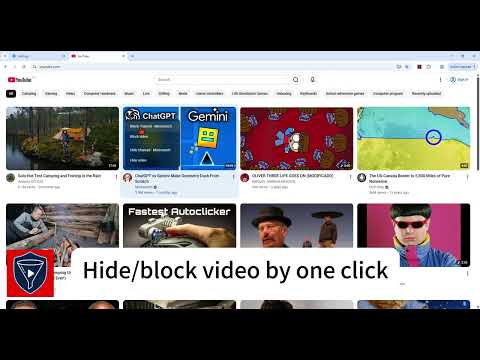
Hide YouTube related videos, shorts, comments, suggestions wall, homepage recommendations, trending, and other distractions. Secure your private viewing with a PIN-protected vault. A privacy-first browser extension to take complete control of your YouTube experience. MyTube Guard removes distracting elements including the recommended sidebar, shorts, endscreen video suggestions, user comments, and homepage feeds. Effortlessly manage your privacy with our exclusive, PIN-protected Private Vault to hide videos from your history and recommendations. Toggle options through the popup to customize your own YouTube experience, all running locally on your device for maximum privacy. OPTIONS: 👉PIN-Protected Private Vault • Hide sensitive videos from history • Protect private interests with custom PIN 👉Hide Homepage Feed 👉Hide Video Sidebar •Hide Recommended (Related Videos) • Hide Live Chat • Hide Playlist 👉Hide YouTube Shorts 👉Hide End Screen Videowall 👉Hide End Screen Cards 👉Hide Comments 👉Hide Mix Radio Playlists 👉Hide Merch, Tickets, Offers 👉Hide Video Info • Hide Video Buttons Bar (share, likes, dislikes) •Hide Channel (profile + subscribe button) • Hide Video Description 👉Hide Top Header • Hide Notification Bell 👉Hide Irrelevant Search Results ("Related to your search", "Latest from", "Searches related to", "People also search for", etc.) 👉Hide Explore and Trending 👉Hide More from YouTube 👉Hide and Redirect Subscriptions 👉Disable Autoplay 👉Disable Annotations Channel Page Filters New on Aug 21: Take full control of any YouTube channel page. Hide the Shorts, Live, Posts, Members, or Playlists tab individually, strip out the banner, featured video, and About info, or flip on "Only show channel videos" to collapse the whole tab bar into a clean, distraction-free video grid. Already-watched videos can be hidden on channel pages too — independent of your Home feed settings, so you can keep watch history hidden on channels without touching your main feed. ➡️ Replace your broken BlockTube or Channel Blocker today. Frequently Asked Questions Q: Does this block in-stream video ads? A: No. MyTube Guard focuses on content filtering and UI customization. Use uBlock Origin for ad blocking. Q: Is this available for Firefox? A: Coming soon. Q: Can I sync my rules across devices? A: Yes. export Json and import it in any browser. Q: How do I get started? A: Install → visit YouTube→ toggle Focus Mode → click the icon to add rules. Q: Is my data safe? A: Yes. Everything is stored locally in Chrome storage. No data ever leaves your device. Change Logs: 2026-08-22:v0.8.0 Added stash filter to make video feed cleaner, and help popup window 2026-08-21: v0.7.0 Added Channel page filter and 9 more languages 2026-07-22: V0.6.0 : Multi language (17 Language) 2026-07-21:V0.5.0:Improved loading speed and filter by double layer data extraction 2026-07-20:V0.4.0 • Filter modes — one slider from Minimal to Custom sets how much YouTube gets filtered. Every mode is editable and PIN-protected. • Filter any video in one click — Block or Hide a channel or video right from the feed card or watch page. • Quarantine + Private rules, each with its own switch, plus a master ON/OFF. • Better rules manager — filter by type, jump to matched videos, add notes, bulk edit, and import/export. Improved • Redesigned popup with a cleaner look and grouped filters. Fixed • Blocked videos no longer flicker into view before hiding. • Non-English channel names no longer save as garbled text. 2026-07-12: v0.1.0 Release first version 2026-07-16: v0.2.0 Fixed bugs and added more Youtube page section filters 2026-07-16: v0.3.0 Fixed video feed scroll jumping
0 out of 5No ratings
Details
- Version0.8.0
- UpdatedAugust 23, 2026
- Size485KiB
- Languages25 languages
- DeveloperWebsite
Email
geekfable@gmail.com - Non-traderThis developer has not identified itself as a trader. For consumers in the European Union, please note that consumer rights do not apply to contracts between you and this developer.
Privacy

This developer declares that your data is
- Not being sold to third parties, outside of the approved use cases
- Not being used or transferred for purposes that are unrelated to the item's core functionality
- Not being used or transferred to determine creditworthiness or for lending purposes