


Overview
For just $0.80/month (with a free trial), copy your Google Drive folders in seconds—saving you HOURS of tedious work
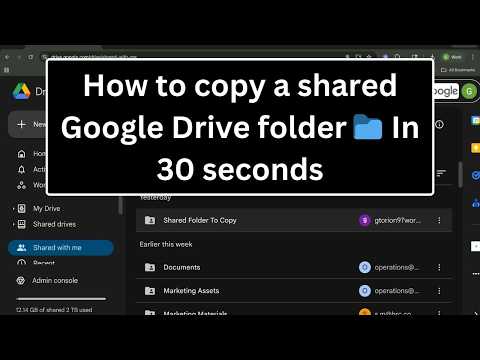
Copy, Duplicate & Backup Google Drive Folders in Seconds 🚨 IMPORTANT 🚨: You must own the folder and all of its contents, or have Viewer, Commenter, or Editor access with copying enabled by the owner, to copy its contents. Drive I/O lets you copy and duplicate entire Google Drive folders — including all subfolders and files — without the tedious manual work of copying items one by one. Perfect for teachers, real estate agents, and small business owners who need to duplicate templates, backup client folders, or clone shared folders fast. ✅ Officially verified by Google 🔑 Key features: ✅ Copy or duplicate multiple Google Drive folders in one go ✅ Copy the entire structure of a folder (subfolders only) ✅ Bulk delete sharing permissions across multiple Drive items ✅ Secure Google OAuth integration 🚀 Coming soon: 🔜 Search through your Google Drive via the URL address bar 🔜 Bulk rename folders and files in one go 🔜 Transfer folders between Google accounts, within the same cloud provider, or across providers (Google Drive ↔ OneDrive, Dropbox) See it in action: https://www.driveio.io/#features?referrer=chromeExtPg Plans start at $0.67/month (billed annually), with a free trial included. Say goodbye to manual folder copying — supercharge your Google Drive workflow with Drive I/O today! ✨
0 out of 5No ratings
Details
- Version0.8.0 alpha
- UpdatedNovember 1, 2026
- FeaturesOffers in-app purchases
- Size6.33MiB
- LanguagesEnglish
- DeveloperWebsite
Email
gtorion@driveio.io - Non-traderThis developer has not identified itself as a trader. For consumers in the European Union, please note that consumer rights do not apply to contracts between you and this developer.
Privacy

Copy Folder in Google Drive - Drive I/O has disclosed the following information regarding the collection and usage of your data. More detailed information can be found in the developer's privacy policy.
Copy Folder in Google Drive - Drive I/O handles the following:
This developer declares that your data is
- Not being sold to third parties, outside of the approved use cases
- Not being used or transferred for purposes that are unrelated to the item's core functionality
- Not being used or transferred to determine creditworthiness or for lending purposes
Support
For help with questions, suggestions, or problems, visit the developer's support site