


Overview
Fact-check YouTube videos from the watch page. Captions, claim checks, and integrity scores in a side panel.
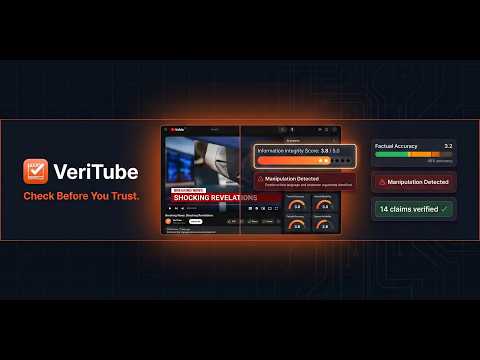
VeriTube fact-checks what a YouTube video actually says. On any watch page, press CHECK IT. The extension opens a side panel, loads captions, tests claims against public sources, and returns integrity scores plus a readable report. What you get • Five integrity criteria (1.0–5.0) and an overall score • Claim-level notes with sources where available • Manipulation / rhetoric flag separate from the score • Summary for long uploads • Same account and free checks as videofactchecker.online How to use 1. Install VeriTube 2. Open a YouTube video 3. Click CHECK IT (or the extension icon → side panel) 4. Read the report next to the player Notes • First checks work without an account; then sign in on videofactchecker.online • This is a media-literacy aid, not a court finding or deepfake lab • Free caption tools on the website are separate from claim verification Privacy: https://videofactchecker.online/privacy-policy Support: https://videofactchecker.online/contact
0 out of 5No ratings
Details
- Version1.0.5
- UpdatedSeptember 18, 2026
- FeaturesOffers in-app purchases
- Size136KiB
- LanguagesEnglish (United States)
- Developer
- Non-traderThis developer has not identified itself as a trader. For consumers in the European Union, please note that consumer rights do not apply to contracts between you and this developer.
Privacy

VeriTube — AI Fact Checker for YouTube has disclosed the following information regarding the collection and usage of your data. More detailed information can be found in the developer's privacy policy.
VeriTube — AI Fact Checker for YouTube handles the following:
This developer declares that your data is
- Not being sold to third parties, outside of the approved use cases
- Not being used or transferred for purposes that are unrelated to the item's core functionality
- Not being used or transferred to determine creditworthiness or for lending purposes
Support
For help with questions, suggestions, or problems, please open this page on your desktop browser