


Overview
Research companion: capture, annotate and cite quotations from any web page or PDF.
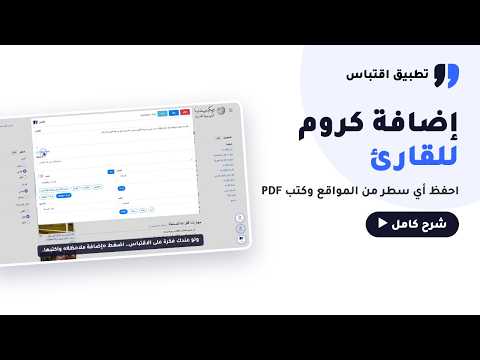
قرأت جملة أعجبتك… وين حطيتها؟ إضافة اقتباس لكروم تحفظ لك ما يستوقفك وأنت تقرأ على الكمبيوتر — من أي موقع أو مقال أو كتاب PDF — مع مصدره ورقم صفحته، بدون أن تقطع متعة القراءة. ماذا تفعل الإضافة؟ • ظلّل واقتبس من أي صفحة ويب: يُحفظ النص مع عنوان الصفحة ورابطها تلقائياً، وتضيف وسوماً وقسماً وملاحظة. • اقتصّ من الكتب المصوّرة وملفات PDF: ارسم مربعاً حول الفقرة، واقتباس يستخرج نصها — ويدعم العربية. • قارئ PDF مدمج: افتح أي ملف PDF من الإنترنت أو من جهازك، ويُكتب رقم الصفحة مع كل اقتباس تلقائياً، وضع علامة لتعود إلى آخر صفحة قرأتها. • للباحثين: أنشئ مشروع بحث، واربط كل اقتباس بمصدره وفصله، ثم صدّر ملف وورد فيه الإحالات وقائمة المراجع بصيغة APA (ويدعم Chicago أيضاً). • للصحفيين وصنّاع المحتوى: اجمع مواد تقريرك أو حلقتك — مقالات وملفات PDF ومقاطع يوتيوب — في مشروع واحد مرتّب حسب الأقسام، وشارك رابط التقرير مع فريقك. • كل شيء في حسابك: نفس الاقتباسات في منصة اقتباس على الويب وفي تطبيق اقتباس على الآيفون والأندرويد. • واجهة عربية كاملة، مع الإنجليزية. كيف تبدأ؟ 1. أضف الإضافة إلى كروم. 2. سجّل الدخول بحساب اقتباس أو بحساب Google. 3. افتح أي صفحة، ظلّل السطر، واضغط «اقتبس». شروحات بالفيديو: • دليل القارئ: https://youtu.be/WI2isBzGiVY • دليل الباحث (APA وتصدير وورد): https://youtu.be/6c2b7BgyI_o • بناء التقارير الصحفية: https://youtu.be/RzMh47GA8-c • دليل صانع المحتوى: https://youtu.be/Vj34D-VN3XU الاستخدام: الحساب المجاني يكفي للحفظ والتنظيم والتصدير، ويشمل 10 عمليات استخراج نص من الصور شهرياً. بعض المزايا — مثل استخراج بيانات المرجع تلقائياً — ضمن الباقة المميزة. الخصوصية: اقتباساتك في حسابك، ولا نبيع بياناتك. سياسة الخصوصية: https://eqtepas.net/privacy-policy الدعم: support@eqtepas.net ====================== Read a line you loved… where did you put it? The Eqtepas extension saves what stops you while you read on your computer — from any website, article or PDF — together with its source and page number, without breaking your reading flow. What it does • Highlight and quote any web page: the text is saved with the page title and link; add tags, a section and a note. • Crop scanned books and PDFs: draw a box around a passage and Eqtepas extracts the text (Arabic supported). • Built-in PDF reader: open any PDF from the web or your computer; every quote keeps its page number, and a bookmark takes you back to where you stopped. • For researchers: create a research project, link each quote to its source and chapter, then export a Word file with in-text citations and an APA reference list (Chicago supported too). • For journalists and creators: gather the material for a report or an episode — articles, PDFs and YouTube clips — in one project ordered by section, and share the report link with your team. • Everything in one account: the same quotes on the Eqtepas web app and the Eqtepas app for iPhone and Android. • Full Arabic interface, plus English. Get started 1. Add the extension to Chrome. 2. Sign in with your Eqtepas account or Google. 3. Open any page, highlight a line and press «اقتبس / Quote». Video guides (Arabic): https://youtu.be/WI2isBzGiVY · https://youtu.be/6c2b7BgyI_o Pricing: the free account covers saving, organising and exporting, and includes 10 image-to-text extractions per month. Some features, such as automatic reference extraction, are part of the Pro plan. Privacy: your quotes stay in your account and we never sell your data. Privacy policy: https://eqtepas.net/privacy-policy Support: support@eqtepas.net
0 out of 5No ratings
Details
- Version2.0.7
- UpdatedNovember 6, 2026
- Size4.73MiB
- Languagesالعربية
- DeveloperWebsite
Email
support@eqtepas.net - Non-traderThis developer has not identified itself as a trader. For consumers in the European Union, please note that consumer rights do not apply to contracts between you and this developer.
Privacy

Eqtepas has disclosed the following information regarding the collection and usage of your data. More detailed information can be found in the developer's privacy policy.
Eqtepas handles the following:
This developer declares that your data is
- Not being sold to third parties, outside of the approved use cases
- Not being used or transferred for purposes that are unrelated to the item's core functionality
- Not being used or transferred to determine creditworthiness or for lending purposes
Support
For help with questions, suggestions, or problems, visit the developer's support site