

imagy tools – Right-Click Image Editor

Overview
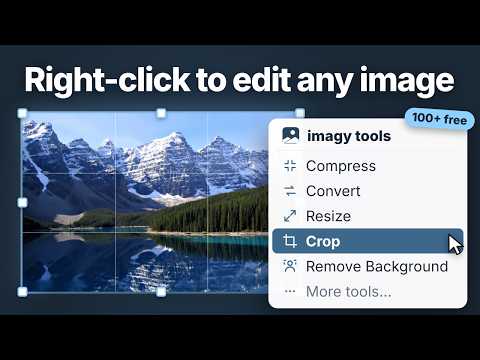
Right-click any image to convert, compress, crop, resize, remove backgrounds, AI-upscale & more — 100+ free image tools.
Right-click any image on the web and edit it instantly — no downloading, no re-uploading, no searching for the right tool. imagy tools sends the image straight to the matching free editor on imagy.app, already loaded and ready. SAVE IMAGES IN THE FORMAT YOU ACTUALLY WANT Ever tried to save an image and ended up with a .webp or .avif file nothing accepts? Right-click it, pick Convert, and download it as PNG or JPG in seconds. 🔸 Download WebP images as PNG or JPG 🔸 Turn HEIC photos and AVIF images into JPGs that open everywhere 🔸 Turn images into Base64 — or Base64 back into images FIX AND TRANSFORM PHOTOS WITH AI 🔸 Remove the background from any image with one click 🔸 Erase unwanted objects, people, or text from photos 🔸 Upscale images 2x, 4x, or 8x with AI super-resolution 🔸 Unblur and sharpen out-of-focus or shaky photos 🔸 Restore old, damaged, or faded photos 🔸 Colorize black-and-white photos with realistic AI colors 🔸 Extend images to a new aspect ratio with AI outpainting 🔸 Generate brand-new images from a text prompt MAKE IMAGES FIT ANYWHERE 🔸 Resize images to exact pixel dimensions 🔸 Compress images to hit upload limits — down to a target size like 100 KB or 500 KB 🔸 Crop to rectangles, circles, squares or freehand shapes 🔸 Circle-crop avatars and profile pictures 🔸 Change the aspect ratio, e.g. to 16:9 for thumbnails and presentations CLEAN UP AND EDIT 🔸 Add text, arrows, emoji, speech bubbles, or watermarks 🔸 Blur faces (with automatic AI face detection) or pixelate parts of an image 🔸 Rotate, flip, invert colors, apply filters — or open the full image editor INSPECT AND PROTECT 🔸 View the EXIF data of any photo (camera, date, location) 🔸 Remove EXIF metadata before sharing a photo 🔸 Check an image's exact dimensions and file size 🔸 Split images into tiles, combine images, extract frames from GIFs WORKS WHERE "SAVE IMAGE AS" DOESN'T The extension also picks up CSS background images and inline SVG graphics — images the browser won't normally let you right-click and save. MAKE IT YOURS The right-click menu is fully customizable: star the tools you use, remove the ones you don't. "More tools…" opens a search across the entire catalog of 100+ free tools — every one of them is a keystroke away. PRIVACY User information handled by this extension: - The image you right-click (fetched so it can be handed to the tool). - The content of imagy.app during image transfer. We do not store this information and will not disclose it. Nothing is sent anywhere except the image you explicitly chose to edit.
5 out of 53 ratings
Details
- Version0.0.6
- UpdatedOctober 14, 2026
- Size54.44KiB
- Languages16 languages
- Developerabove the fold GmbHWebsite
Hochgrütstrasse 16 Seuzach 8472 CHEmail
support@abovethefold.chPhone
+41 79 938 60 70 - TraderThis developer has identified itself as a trader per the definition from the European Union and committed to only offer products or services that comply with EU laws.
- D-U-N-S480502134
Privacy

imagy tools – Right-Click Image Editor has disclosed the following information regarding the collection and usage of your data. More detailed information can be found in the developer's privacy policy.
imagy tools – Right-Click Image Editor handles the following:
This developer declares that your data is
- Not being sold to third parties, outside of the approved use cases
- Not being used or transferred for purposes that are unrelated to the item's core functionality
- Not being used or transferred to determine creditworthiness or for lending purposes
Support
For help with questions, suggestions, or problems, please open this page on your desktop browser