

StepRisk — Position Size & Risk Lines for Futures & Forex
1 rating
)
Overview
Size futures and forex trades by your risk with entry, stop and target lines. Prop firm risk lock, journal and one-click send.
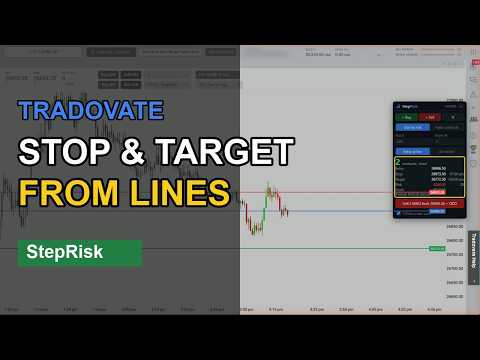
Drag your stop on the chart and StepRisk works out how many contracts or lots fit your risk, fills the order with stop and target, and holds you back when the day goes wrong. One oversized trade is all it takes to lose a funded account, and mental math always fails at the worst moment. With StepRisk, your position size comes from your stop, every trade risks the same amount, and your rules hold even on impulse. HOW IT WORKS 1. Click "+ Buy" or "+ Sell": entry, stop and target lines appear on your chart. 2. Drag the stop. The size updates instantly to fit your risk, and the target follows your R multiple. 3. Click Send. StepRisk fills the order on the platform, at market or at your line, with stop and target, and checks that it was accepted. 4. Log the trade and see in the Journal what your discipline (and your emotions) cost you. WHERE IT WORKS Futures (Nasdaq-100, S&P 500, gold, crude oil, micro and E-mini): • TopstepX, no API needed: fills type, price and size and sends; stop and target come from your OCO bracket. • Tradovate and NinjaTrader Web, with stop and target in ticks taken from your lines. • Tradesea: fills and confirms the Order panel. • BlackArrow, view mode: lines and size, you send from the platform. • Optional ProjectX API (your own subscription): stop and target exactly at your lines. Forex, gold, indices and CFDs (beta): • MetaTrader 4 and 5 Web, with any broker: click the StepRisk icon on the web terminal and allow access once. Lots come from each symbol's contract specification. • cTrader Web: lots from each symbol's pip value, read automatically the first time on each account. Turn it on in Settings. THE RIGHT SIZE ON EVERY TRADE • Profit-style labels on every line: dollar risk on the stop, profit and R on the target. On TradingView charts the lines are StepRisk's own: dragging them doesn't open the drawing toolbar. • Risk a fixed amount or a % of your buffer to the prop firm's Maximum Loss Limit (MLL). • If the risk you type goes past your buffer to the MLL, the panel shows a clear warning with what's left and uses only what fits. • Fixed contracts mode: you pick the size and the risk, and StepRisk places stop and target. • Commission per contract, set once, so risk and profit are already net. • Lock the stop under the swing low: the entry moves, the stop stays put and the size is recalculated on every tick until you send. OPEN POSITION ON THE CHART (new) • After sending, your position gets labels on the chart: side, size, points and live P&L (green in profit, red in loss). • The stop and target show what you lose or make if they're hit, and the value follows when you drag the order. • The × on the label flattens the position through the platform itself. • MetaTrader 4 and 5, Tradovate, NinjaTrader Web and TopstepX. RISK LOCK • Daily max loss and a pause after a losing trade. • StepRisk reads today's P&L from the platform and caps every trade to what's left. • At the max loss, it stops sending orders until the next session. Once triggered, changing the rules doesn't unlock it. • Rules per account: each account can have its own max loss and pause (for example, one per prop firm). One account's lock doesn't stop the others. ALL ACCOUNTS AND COPY GROUPS • One dashboard with every account you open: balance, today's result, risk lock status and a balance chart. Open it with the Dashboard button on the chart panel. • Copy groups: send on the leader account and StepRisk repeats the order on your other accounts, with stop and target at the same prices. Each follower is sized by its own risk and lock, or by the leader's size × a multiplier. • Followers can be open in this browser or on another computer paired with a code. Orders between computers are end-to-end encrypted. • Check your prop firm's rules: most allow copying only between your own accounts. JOURNAL AND DISCIPLINE SCORE • One click saves the trade with a chart screenshot, or log every order automatically. • Mark how you felt before and after: calm, anxious, fearful, greedy, frustrated… • Every trade gets a 0–100 score (A+ to F) for discipline, not luck. • Calendar per account, win rate, average R and results by emotion and by mistake (revenge trade, FOMO, moved stop…). • Mark up screenshots with arrows, boxes and text. CSV export and import. NEWS ALERTS A browser notification before economic releases, with the impact, currencies and minutes you choose, even with the platform closed. SAFETY ON EVERY ORDER • By default, nothing is sent without your second click, and the confirmation shows symbol, side, size and price. Scalpers can turn on one-click sending (off by default). • If your lines change between clicks, the confirmation is canceled; with a locked stop, sending is blocked if price crosses the stop. • After sending, StepRisk checks that the position opened and shows a platform rejection on the panel instead of a false "sent". • On MetaTrader, a broker rejection (not enough margin, market closed, stop too close…) is explained on the panel, and the order window closes by itself. • Your journal, screenshots and API key stay in your browser. They never reach us. Languages: English, Portuguese and Spanish. Video tutorials for every platform in the StepRisk playlist on the ECODAA YouTube channel. On TradingView, sign-in is required, and sending orders needs real-time CME data. Free for 7 days with everything unlocked (email only, no card). Then US$ 9/month or US$ 79/year (save 27%). Cancel anytime. StepRisk is an independent tool, not affiliated with or endorsed by any trading platform or prop firm. Not financial advice. Trading futures, forex and CFDs involves substantial risk of loss. You are responsible for every order you send.
5 out of 51 rating
Details
- Version3.6.1
- UpdatedNovember 27, 2026
- Offered byAriel Morgan
- Size208KiB
- Languages4 languages
- Developer
Email
mrgf.ariel@gmail.com - Non-traderThis developer has not identified itself as a trader. For consumers in the European Union, please note that consumer rights do not apply to contracts between you and this developer.
Privacy

StepRisk — Position Size & Risk Lines for Futures & Forex has disclosed the following information regarding the collection and usage of your data. More detailed information can be found in the developer's privacy policy.
StepRisk — Position Size & Risk Lines for Futures & Forex handles the following:
This developer declares that your data is
- Not being sold to third parties, outside of the approved use cases
- Not being used or transferred for purposes that are unrelated to the item's core functionality
- Not being used or transferred to determine creditworthiness or for lending purposes