

MD to DOCX (Offline)
1 rating
)
Overview
Offline Markdown to DOCX converter with optional online AI helpers.
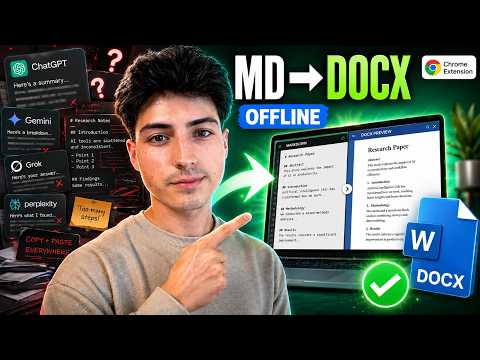
📄 MD to DOCX (Offline) is a Markdown editor and DOCX/PDF converter for users who work with AI-generated text, Markdown notes, tables, formulas, and structured documents. The core Markdown to DOCX converter works offline inside the Chrome extension. You can import Markdown, TXT, DOCX, or PDF content, edit it in Markdown Live Editor, preview the rendered result, and export as DOCX or PDF. PDF export and ordinary PDF import also run locally; the optional PDF AI recovery is online. 🧰 The extension also adds a Markdown Toolbox on supported AI chat websites, including ChatGPT, Gemini, Claude, Grok, and Perplexity. The Toolbox helps you capture selected content and send it to Markdown Live Editor for editing, cleanup, preview, and conversion. Optional online AI helpers are included for user-requested processing: • Humanize selected text. • Refine selected text in a chosen style. • Create reusable AI prompt chains from user-provided goals and context. • Suggest a recovery for a user-selected PDF region when local extraction is uncertain. These online helpers are separate from the offline converter. They are used only when selected by the user and send only the content needed for the selected action to the developer backend and then to OpenAI. PDF AI recovery requires consent and sends only the selected JPEG region and its local OCR text, not the complete PDF. Main features: ✅ Offline Markdown to DOCX conversion. ✅ Markdown Live Editor with side-by-side preview and unchanged Markdown export. ✅ Attach a reference DOCX and the converter automatically adopts its formatting - so your exported document matches the source's style. ✅ Import .md, .txt, .docx, and .pdf files; PDF import uses the text layer or packaged offline OCR and shows a review before insertion. ✅ Export A4 PDF with selectable text, tables, links, and a preview of the exact file to download. ✅ Optionally embed source Markdown in exported PDFs (off by default). ✅ LaTeX and Markdown rendering support for common academic and technical content. ✅ Selection capture and prompt/chain quick insert on supported AI websites. ✅ Optional online Humanize, Refine, AI Chain, and selected-region PDF AI recovery. ✅ Ukrainian and English interface. The extension does not sell user data and does not use user data for advertising. The primary DOCX conversion workflow runs locally in the browser extension runtime. ——————————————————————— 🆕 What's new Version 1.1.3 • Added A4 PDF export with selectable text, tables, links, a preview of the exact file, and an optional source Markdown attachment (off by default). • Added PDF import with text-layer extraction, packaged offline OCR, and a review step before inserting into the editor. • Added optional AI recovery for a selected uncertain PDF region after consent; the complete PDF is not uploaded. • Added arrow-key/Enter navigation and remembered selections for prompt and chain quick insert. • Improved PDF viewer layout, editor scrolling, and Ukrainian/English PDF interface text; removed the PDF beta label. Version 1.1.1 • ChatGPT source-citation icons (the small site favicons shown next to cited links) are no longer pulled into Markdown Live Editor when you capture an answer, so the captured text stays clean and easy to edit. • Fixed DOCX export failing with "Failed to fetch an image from the provided URL." on answers that contain those citation icons. • Cited source links are now kept as clickable hyperlinks in the exported DOCX (previously they could be lost during conversion). Version 1.1.0 • New: attach a reference DOCX and the converter automatically adopts its formatting, so your exported document matches the source document's style.
5 out of 51 rating
Details
- Version1.1.3
- UpdatedSeptember 25, 2026
- Offered bymaksym_klym
- Size13.95MiB
- LanguagesEnglish (United States)
- Developer
Email
maksym1klymenko@gmail.com - Non-traderThis developer has not identified itself as a trader. For consumers in the European Union, please note that consumer rights do not apply to contracts between you and this developer.
Privacy

MD to DOCX (Offline) has disclosed the following information regarding the collection and usage of your data. More detailed information can be found in the developer's privacy policy.
MD to DOCX (Offline) handles the following:
This developer declares that your data is
- Not being sold to third parties, outside of the approved use cases
- Not being used or transferred for purposes that are unrelated to the item's core functionality
- Not being used or transferred to determine creditworthiness or for lending purposes