

eBlock Transfer — Cross-Domain Block Copy for Elementor

Overview
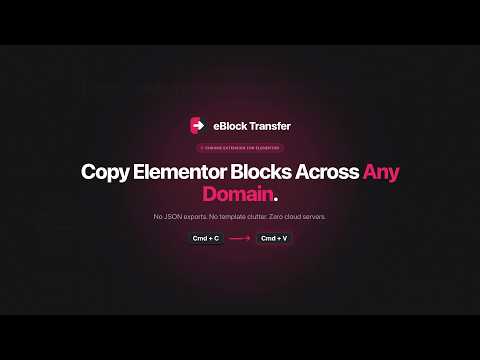
Copy Elementor widgets, sections, containers, and full pages across WordPress domains instantly — 100% local, zero servers.
eBlock Transfer lets you copy any Elementor layout element on one WordPress website and paste it directly into another domain using native Elementor shortcuts (Cmd+C / Ctrl+C and Cmd+V / Ctrl+V). No JSON template exports, no cluttering your WordPress template library, and no cloud accounts required. KEY FEATURES • Native Cross-Domain Copy & Paste Copy widgets, columns, sections, or Flexbox/Grid containers in one Elementor editor tab and paste them straight into another site — across production domains, subdomains, staging servers, or localhost. • One-Click Full Page Copy Open the extension popup inside any active Elementor editor and click "Copy Entire Page" to grab every top-level section and container on the page at once. • Recent Blocks History Automatically keeps your last 10 copied blocks (Full Page, Container, Section, Column, or Widget) locally in the popup so you can switch between blocks and re-paste anytime. • Clean Cross-Origin Media Handling Automatically strips mismatched foreign WordPress attachment IDs so pasted blocks never corrupt media metadata on the destination site. • Broad Elementor Compatibility Works seamlessly with both modern Elementor (3.7+ clipboard storage) and legacy Elementor versions. • 100% Local & Private by Design Runs strictly inside your browser using local extension storage. Zero external servers, zero analytics, zero telemetry, and zero tracking. HOW IT WORKS 1. Open an Elementor editor on Site A and copy any element (Cmd+C / Ctrl+C), or click "Copy Entire Page" in the eBlock Transfer popup. 2. Switch to an Elementor editor tab on Site B. 3. Paste (Cmd+V / Ctrl+V or right-click → Paste) directly onto the canvas. DISCLAIMER eBlock Transfer is an independent browser extension and is not affiliated with, endorsed by, or sponsored by Elementor Ltd.
0 out of 5No ratings
Details
- Version1.0.1
- UpdatedNovember 28, 2026
- Size22.2KiB
- LanguagesEnglish (United States)
- DeveloperWebsite
Email
dm.develop1t@gmail.com - Non-traderThis developer has not identified itself as a trader. For consumers in the European Union, please note that consumer rights do not apply to contracts between you and this developer.
Privacy

This developer declares that your data is
- Not being sold to third parties, outside of the approved use cases
- Not being used or transferred for purposes that are unrelated to the item's core functionality
- Not being used or transferred to determine creditworthiness or for lending purposes
Support
For help with questions, suggestions, or problems, please open this page on your desktop browser