


Overview
Translate YouTube subtitles into your language and listen to them as an AI voice-over synced to the video.
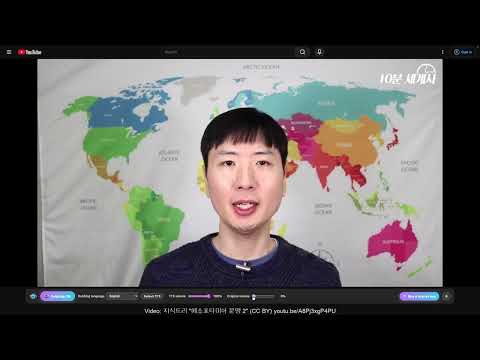
DubbingMate is AI dubbing for YouTube. Hear videos that have no YouTube auto-dubbing in your language: it translates a video's subtitles and reads them aloud as an AI voice-over, in sync with the video. ✨ Key features • Turns on by itself for videos in another language (you can switch this off in settings) • "Always dub" per channel: pin a channel once and its videos keep being dubbed • 30 free minutes every day: after the 72-hour trial there is no expiry, and 30 minutes a day stay free • Translate YouTube subtitles and hear them as an AI voice-over, in real time • 10 languages: English, Korean, Japanese, Chinese, Spanish, French, German, Portuguese, Russian, Vietnamese (all except English are in beta) • Supertonic AI voice (Korean & English) — after a one-time model download (about 263MB), speech is generated inside your browser • Built-in browser voices — ready right after install, with pitch control • Dubbing stays in sync when you play, pause or seek, and lowers the original audio automatically • If dubbing can't start, DubbingMate tells you why • If subtitles aren't available in your language, DubbingMate translates them with Chrome's built-in translator (Chrome 138 or later) 💡 Great for • Foreign-language lectures, tutorials and documentaries in your own language • Listening to videos while cooking or working out • Anyone tired of reading subtitles 💳 Pricing • 72-hour unlimited trial (starts with your first dub) • After the trial, 30 minutes a day stay free; beyond that you're offered a purchase • One-time purchase, lifetime use — no subscription 🔒 Privacy • Your video, audio and subtitles are never uploaded to our servers • No ads, no personal data collection • The extension contacts our server only for license checks, anonymous usage counts (a random install ID and event names such as "dubbing failed"), support messages and refund requests ⚙️ How to use 1. Install DubbingMate (a welcome tab opens) 2. Play a YouTube video in another language that has subtitles — dubbing starts automatically 3. Pick your language in the DubbingMate bar under the video; pin a channel for "Always dub" Learn more: https://dubbingmate.com DubbingMate is an independent product and is not affiliated with YouTube or Google.
0 out of 5No ratings
Details
- Version0.0.92
- UpdatedNovember 16, 2026
- Size6.42MiB
- Languages11 languages
- DeveloperWebsite
Email
lhscj2466@gmail.com - Non-traderThis developer has not identified itself as a trader. For consumers in the European Union, please note that consumer rights do not apply to contracts between you and this developer.
Privacy

This developer declares that your data is
- Not being sold to third parties, outside of the approved use cases
- Not being used or transferred for purposes that are unrelated to the item's core functionality
- Not being used or transferred to determine creditworthiness or for lending purposes