

Playlist Tidy: Multi-Select & Organize for YouTube

Overview
Select several videos in a YouTube playlist to move, copy or remove them in bulk, and organize whole playlists.
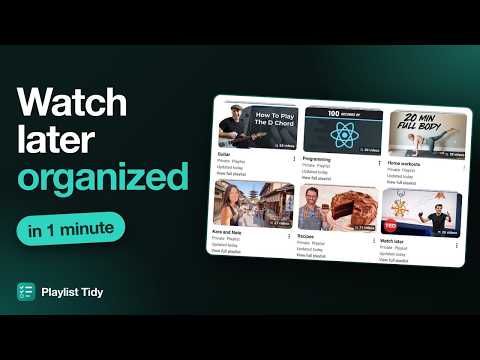
Organizing YouTube playlists means one video at a time: open the menu, pick a playlist, repeat. With Playlist Tidy you select many videos and handle them all at once. MULTI-SELECT • Hover a video and tick its checkbox; Shift+click selects a range • Save, move or remove the selected videos from a bar at the bottom • "Select all in playlist" ticks every video, including the ones the page hasn't loaded yet • Create a new playlist right from the save dialog • Works on Watch later, Liked videos and your own playlists; on other people's playlists you can save videos to yours SEARCH A PLAYLIST • Find videos by title or channel, ignoring case and accents • Search covers the whole playlist, not just what is already on screen ORGANIZE PLAYLIST • Reads every video in a playlist (including a Watch later with hundreds of videos) • Suggests which of your playlists each video belongs to, based on the channel, the title and what each playlist already holds • Optionally uses the browser's built-in AI (Gemini Nano in Chrome) to sort what is left and suggest new playlists; the model runs on your computer • You review everything first: change destinations, rename new playlists and untick what you want to keep The bar, menus and dialogs follow YouTube's light or dark theme. PRIVACY • No server, no analytics, no ads • Nothing leaves the browser except YouTube's own requests, made with your session Playlist Tidy is free. If it saves you time, you can support its development on Ko-fi (link in the extension popup). Not affiliated with YouTube or Google.
5 out of 51 rating
Details
- Version1.0.8
- UpdatedNovember 29, 2026
- Size153KiB
- Languages2 languages
- DeveloperWebsite
Email
arimario.dev@gmail.com - Non-traderThis developer has not identified itself as a trader. For consumers in the European Union, please note that consumer rights do not apply to contracts between you and this developer.
Privacy

Playlist Tidy: Multi-Select & Organize for YouTube has disclosed the following information regarding the collection and usage of your data. More detailed information can be found in the developer's privacy policy.
Playlist Tidy: Multi-Select & Organize for YouTube handles the following:
This developer declares that your data is
- Not being sold to third parties, outside of the approved use cases
- Not being used or transferred for purposes that are unrelated to the item's core functionality
- Not being used or transferred to determine creditworthiness or for lending purposes
Support
For help with questions, suggestions, or problems, visit the developer's support site