

Canny Notes - AI Writer, Sticky Notes & More

Overview
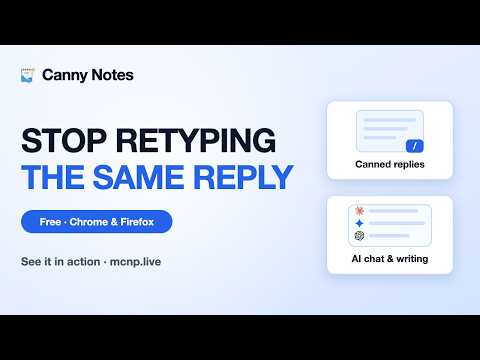
Save hours with AI canned responses. Rewrite, fix grammar & pin sticky notes on any site. Private, local-first, now in 9 languages.
🚀 Stop Retyping. Start Writing Smarter. My Canned Notes Pro is the ultimate AI-driven productivity hub for your browser. Capture your most-used messages, templates, and snippets, then deploy them anywhere instantly. Rewrite content, polish your prose, and fix grammar with integrated AI—all without switching tabs. ━━━━━━━━━━━━━━━━━━━━━━━━━━━━ ✨ KEY FEATURES 🤖 Be a Writing Ninja Move through your tabs with lethal efficiency. Use our AI to rephrase awkward sentences or rewrite entire paragraphs for a sharper tone. Correct grammar on the go and polish your text instantly, ensuring every message you send is professional and precise. 📝 Smart Snippets & Instant Responses Save your frequent replies, code blocks, and bios. Organize them into custom categories and find what you need with lightning-fast search. One click pastes your text into any input field on the web. 📌 Contextual Sticky Notes Anchor notes directly to specific URLs. Your reminders and research stay exactly where you left them, appearing automatically whenever you revisit the page. ☁️ Total Cloud Continuity Access your library on any device. We utilize AES-256-GCM encryption and a Zero-Knowledge architecture—your data is encrypted locally before it ever reaches the cloud. 🎨 Personalized Aesthetics Choose from 8+ vibrant themes like Midnight and Aurora, or design your own with our Custom Theme Builder and full Dark/Light mode support. 📋 Pro Templates & Quick-Insert Jumpstart your workflow with pre-built templates for outreach, support, and social engagement. Fully customizable to fit your unique voice. ⌨️ Power-User Shortcuts Master your workflow with intuitive keyboard commands. Search, copy, and paste like a pro ninja without ever lifting your hands from the keys. 💾 Flexible Backup & Export Securely sync with your preferred cloud storage. Export your database in CSV or JSON formats. Reliable one-click restoration on any new machine. 🔒 PRIVACY-FIRST GUARANTEE Your privacy is our absolute priority. None of your website browsing data is ever retrieved, read, or sent to our servers. Why do we need "Read and change all your data on websites" permissions? We strictly use this permission to display our small inline floating icon next to text boxes, so you can easily access your notes where you need them most. We protect you with: - Strict Text Box Isolation: The extension never reads anything outside the text box you actively type in, explicitly ignoring passwords, credit cards or banking forms. - Zero Server Surveillance: Your website data remains entirely in your browser. Only the notes YOU manually save are processed. - Cloud Sync Control: Turn off cloud sync at any time for a 100% local-offline experience. - Site Blocklist: Manually exclude specific websites or let our auto-detection warn you when visiting highly confidential domains. - AES-256 Encryption: For Pro users, your synced notes are end-to-end encrypted. We can't even see them. 🌐 UNIVERSAL COMPATIBILITY Seamlessly integrated with all major social media platforms, every web-based email client, professional networking hubs, and virtually any website you browse. 💡 PERFECT FOR: Success Teams: Deploy instant, consistent replies. Growth & Sales: Standardize high-conversion outreach. Creatives & Developers: Store reusable snippets and AI-polished drafts. Students & Analysts: Organize research with digital sticky notes. ━━━━━━━━━━━━━━━━━━━━━━━━━━━━ 📬 SUPPORT Need a hand? Visit: https://mcnp.live We typically respond within 24 hours. ⭐ Love My Canned Notes Pro? Leave a 5-star review to help us keep building the features you love! "Try it for Free! Test our premium AI writing features and manage your notes locally. If you love the seamless writing experience, upgrade to My Canned Notes Pro to unlock AES-256 cloud encryption, multi-device sync, and advanced AI training personalized to your voice. Your data is for you, by you."
5 out of 57 ratings
Details
- Version2.1.1
- UpdatedOctober 10, 2026
- FeaturesOffers in-app purchases
- Size751KiB
- Languages7 languages
- DeveloperWebsite
Email
youritsup@gmail.com - Non-traderThis developer has not identified itself as a trader. For consumers in the European Union, please note that consumer rights do not apply to contracts between you and this developer.
Privacy

Canny Notes - AI Writer, Sticky Notes & More has disclosed the following information regarding the collection and usage of your data. More detailed information can be found in the developer's privacy policy.
Canny Notes - AI Writer, Sticky Notes & More handles the following:
This developer declares that your data is
- Not being sold to third parties, outside of the approved use cases
- Not being used or transferred for purposes that are unrelated to the item's core functionality
- Not being used or transferred to determine creditworthiness or for lending purposes
Support
For help with questions, suggestions, or problems, visit the developer's support site