Item logo image for FactScope

FactScope

ExtensionTools
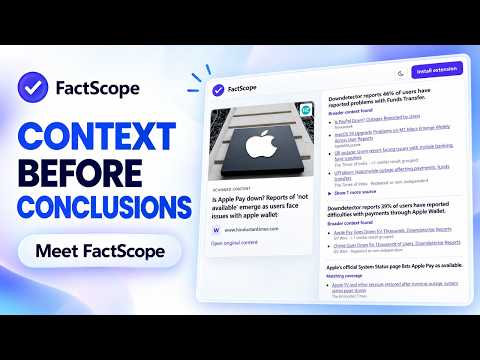
Item media 5 (screenshot) for FactScope
Item media 1 (screenshot) for FactScope
Item media 2 (screenshot) for FactScope
Item media 3 (screenshot) for FactScope
Item media 4 (screenshot) for FactScope
Item media 5 (screenshot) for FactScope
Item media 1 (screenshot) for FactScope
Item media 2 (screenshot) for FactScope
Item media 3 (screenshot) for FactScope
Item media 4 (screenshot) for FactScope
Item media 5 (screenshot) for FactScope

Overview

Verification assistant for user-selected pages and images, showing trust signals, related evidence, and uncertainty.

FactScope is a free, AI-powered verification assistant that helps you examine news articles, social media posts, blogs, and images without leaving the page you are viewing. No account or sign-up is required. FactScope does not determine absolute truth. It organizes trust signals, available fact-checks, related reporting, image observations, and limitations so you can investigate questionable content more quickly. 🧩 Why FactScope? Misleading articles, posts, and AI-generated images can spread before reliable context becomes available. Manually checking claims, sources, and related reporting takes time. FactScope gives you a convenient starting point for that investigation directly inside Chrome. ✨ Page verification Click “Scan current tab” to receive: • A trust indicator and plain-language assessment • An explanation of credible, suspicious, or uncertain signals • Extracted factual claims where available • Relevant fact-checks and related news coverage • Links you can inspect yourself • Clear limitations when evidence is unavailable or inconclusive Related coverage does not necessarily confirm a claim. FactScope distinguishes available evidence from general topic matches where possible. 🖼️ Image verification Right-click an image and select “Verify image with FactScope” to examine: • Possible AI-generation or manipulation indicators • Visible inconsistencies, watermarks, and contextual clues • Whether the accompanying caption appears consistent with available reporting • Related articles or fact-checks where available • Uncertainty and limitations of the analysis Image analysis is probabilistic and may be wrong. FactScope does not claim to prove an image’s origin or authenticity. 🗣️ Community context Users can: • Flag potentially misleading content • Vote on whether an analysis was helpful • View available community context Community submissions are anonymous and should be treated as additional context, not verified evidence. Submitting a normal scan does not automatically publish your scan as a community report. 🔗 Optional sharing You can explicitly create a public link for a result. Anyone with that link may be able to view the shared analysis and associated source context. Results are never made public automatically. 🌐 Where it works FactScope supports many publicly accessible news sites, blogs, and social-media pages. Some browser-protected pages, restricted content, paywalled pages, blocked images, and unsupported formats may not be scannable. 🚀 How to use it Install FactScope. Open a page you want to examine. Click the FactScope icon and select “Scan current tab,” or right-click an image and choose “Verify image with FactScope.” Review the evidence, trust signals, uncertainty, and source links. 🔒 Privacy and user control FactScope does not continuously monitor your browsing. Page access occurs only after you explicitly start a page or image scan. When you start a scan, selected page text, title, URL and relevant page details—or the selected image and available caption context—are transmitted securely to the FactScope backend and configured Google services for analysis. Optional anonymous usage telemetry is off by default. It never includes page text, titles, claims, full URLs, or image URLs. Raw scan records and optional telemetry are retained for up to 30 days. You can clear local history and delete eligible server data from the extension popup. Minimal hashed session and current quota records may remain temporarily for security and abuse prevention. FactScope does not sell scanned content or use it for personalized advertising. FactScope is a verification assistant—not a replacement for primary sources, professional fact-checkers, or your own judgment.

Details

  • Version
    1.2.0
  • Updated
    August 3, 2026
  • Offered by
    Abhirup Roy
  • Size
    31.84KiB
  • Languages
    English
  • Developer
    Email
    episky.org@gmail.com
  • Non-trader
    This developer has not identified itself as a trader. For consumers in the European Union, please note that consumer rights do not apply to contracts between you and this developer.

Privacy

Manage extensions and learn how they're being used in your organization

FactScope has disclosed the following information regarding the collection and usage of your data. More detailed information can be found in the developer's privacy policy.

FactScope handles the following:

Authentication information
Web history
User activity
Website content

This developer declares that your data is

  • Not being sold to third parties, outside of the approved use cases
  • Not being used or transferred for purposes that are unrelated to the item's core functionality
  • Not being used or transferred to determine creditworthiness or for lending purposes

Support

For help with questions, suggestions, or problems, visit the developer's support site

Google apps