

Lexpad: Language Learning with Subtitles
2 ratings
)
Overview
Learn from what you watch: click a word in YouTube or Netflix subtitles to keep it, then replay the line or type what you hear.
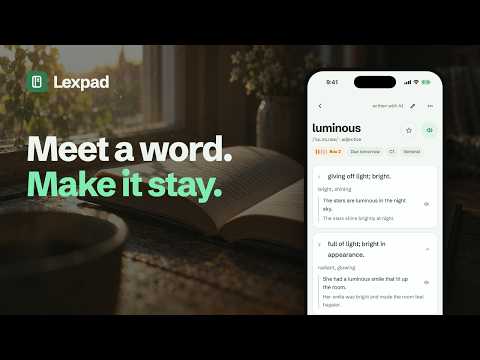
Point at a word in the subtitles and click it. Lexpad shows what it means right on the video, in your language. Press Add and it's saved with the line you heard. Lexpad is a free language learning extension for what you already watch and read. It works on YouTube, Netflix, TED and lesson pages with a video, on any web page, and in Google Meet captions. Cards can be written in any of 81 languages. SAVE WORDS WHILE YOU WATCH Rest your pointer on a subtitle and the video waits for you. Click a word, or drag across a phrase of up to seven words, like "get the hang of". AI writes the card for the sentence you found it in: meaning, part of speech, level, pronunciation and examples. PRACTISE THE LINE YOU JUST HEARD Listening is often the hardest part of learning a language. Missed what they said? Replay the line with one click, or with Alt+R (Control+Shift+R on a Mac). Type what you hear turns the line into a short dictation. The video stops at the end of it, you type, and each word is checked as you go. It works before you even sign in. With Pro you can also Say it back: speak the line and see which words came through. A quick way to practise shadowing. Your voice goes to your browser's speech service, which turns it into text. Lexpad gets only that text. ON WEB PAGES AND IN CALLS Select a word in an article and press the plus. In a Google Meet call, rest your pointer on the captions. The last lines hold still, so you can click a word before it scrolls away. WHERE YOUR WORDS GO Saving needs a free Lexpad account. Each word goes into your vocabulary notebook with its sentence, and spaced repetition brings it back just before you would forget it. Review in a browser tab at app.lexpad.app, or in the Lexpad apps for Android, iPhone, Mac and Windows. FREE AND PRO Free: 5 words a day from the extension (150 a month), and each one gets a full card. Pro: 200 words a day (6,000 a month) and Say it back, for 4.99 USD a month or 29.99 USD a year. New accounts get Pro free for 7 days, no card needed. Buy the yearly plan in those 7 days, or up to 48 hours after, and your first year is 20.99 USD. After that it renews at 29.99 USD a year. PRIVACY A word is sent when you click it, with its line, so its meaning can be written. To improve Lexpad, the extension also sends usage counts, such as minutes watched with its subtitles and lines practised, with the name of the site. Lexpad runs on all sites because words can be on any of them. Right-click a page to turn it off there. Add Lexpad, open a video with subtitles and click the first word you don't know. The welcome page shows you the rest in four short steps. NEW IN 0.9.3 - Replay the line, Type what you hear and Copy the line, now on every video site Lexpad reads. - Say it back, for Pro. - A new welcome page with a practice clip to try each tool. YouTube, Netflix, TED and Google Meet are trademarks of their owners. Lexpad is not affiliated with them.
5 out of 52 ratings
Details
- Version0.9.3
- UpdatedNovember 10, 2026
- Offered byLexpad
- Size825KiB
- LanguagesEnglish
- DeveloperREZA PIRIGHADIM
Güzelyurt Mah. 2148.sokak Delta Deluxe Sitesi No: 5b kat:12 daire:173 istanbul, İstanbul 34515 TREmail
hello@lexpad.appPhone
+90 537 749 37 13 - TraderThis developer has identified itself as a trader per the definition from the European Union and committed to only offer products or services that comply with EU laws.
Privacy

Lexpad: Language Learning with Subtitles has disclosed the following information regarding the collection and usage of your data. More detailed information can be found in the developer's privacy policy.
Lexpad: Language Learning with Subtitles handles the following:
This developer declares that your data is
- Not being sold to third parties, outside of the approved use cases
- Not being used or transferred for purposes that are unrelated to the item's core functionality
- Not being used or transferred to determine creditworthiness or for lending purposes
Support
For help with questions, suggestions, or problems, visit the developer's support site