

Proofread Bot — Grammar & Spell Checker

Overview
Grammar and spell checker for Gmail, chat, and forms. Underline mistakes and accept fixes in place.
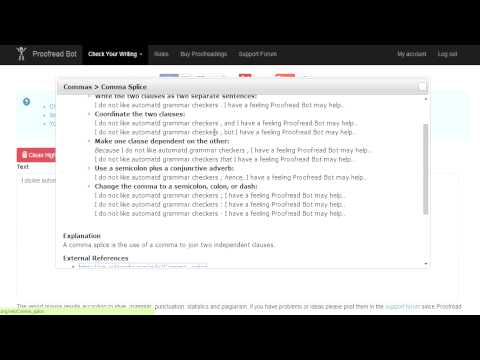
Proofread Bot is a grammar checker and spell checker that proofreads the field you are already typing in. It finds grammar, spelling, and punctuation mistakes on the page, underlines them, and lets you accept a fix in place — no new tab and no copy-paste. Use it in Gmail, Messenger, LinkedIn, Outlook on the web, Slack in the browser, and most other sites with a text box. What you get • In-place grammar check and spell check while you write • Orange underlines on clear mistakes — click Accept or Ignore • Works in email, chat, comments, and forms • Keyboard shortcut: Alt+Shift+P • Optional live checking while you type (Premium). Free accounts check on demand How to use it 1. Sign in with Google from the toolbar icon, or right-click a field and choose “Sign in and check with Proofread Bot”. 2. Click in the email, chat, or form field you are writing in. 3. Right-click the field or selected text → Check with Proofread Bot. Or press Alt+Shift+P. 4. Click an underline, then Accept to apply the replacement, or Ignore. 5. If you click away or reload, use “Show saved highlights” to bring the marks back. Notes • Google Docs is not covered here — use the Proofread Bot Docs add-on. • Sign-in is required so checks run on your Proofread Bot account. • Highlights stay in this browser for a short time so you can restore them on the same field. • The extension sends anonymous usage events only. It does not send the text you type or the page you are on.
2.1 out of 527 ratings
Details
- Version2.2.12
- UpdatedOctober 22, 2026
- Size384KiB
- LanguagesEnglish
- DeveloperCashtic LLCWebsite
1207 Delaware Ave SUITE 206 Wilmington, DE 19806 USEmail
gyorgy.chityil@gmail.com - Non-traderThis developer has not identified itself as a trader. For consumers in the European Union, please note that consumer rights do not apply to contracts between you and this developer.
Privacy

Proofread Bot — Grammar & Spell Checker has disclosed the following information regarding the collection and usage of your data. More detailed information can be found in the developer's privacy policy.
Proofread Bot — Grammar & Spell Checker handles the following:
This developer declares that your data is
- Not being sold to third parties, outside of the approved use cases
- Not being used or transferred for purposes that are unrelated to the item's core functionality
- Not being used or transferred to determine creditworthiness or for lending purposes
Support
For help with questions, suggestions, or problems, please open this page on your desktop browser