

LinkXtract — YouTube Link & Playlist Extractor
1 rating
)
Overview
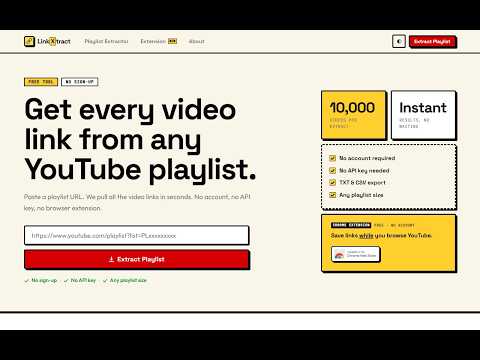
Capture YouTube links while browsing. Save videos, Shorts, playlists & channels. Bulk-extract playlist videos. Export as CSV or TXT.
Save YouTube links while you browse and keep a local collection for later. CAPTURE WITH YOUR SHORTCUT Hover a video, Short, live stream or channel link, or focus its link with the keyboard, and press L (the default capture key). Change the key and optional modifier in Settings. A brief bottom-right notification confirms the save without adding labels or buttons to every video card. Live-now captures have a Live label. COPY AND SAVE COLLECTIONS Copy all links sits beside a channel's Subscribe/Join/Community controls or inside the active playlist/Mix header. One click collects the available links, copies them and saves them to your extension list. Supported channel sections include Videos, Shorts and Live. Watch History supports individual capture and collection of its available main list. Hover a playlist or Mix and press the shortcut to choose Save first video or Copy all links. Copy all opens a temporary collection tab. After successful copying and saving, that helper closes and returns you to the original tab. Failures and stopped jobs keep the helper open for recovery. Ordinary browsing tabs stay open. On a channel's Playlists tab, Copy playlist links copies the playlist URLs. Use the shortcut on an individual playlist to collect the videos inside it. EXPORT AND RECOVER Copy your saved URLs or export TXT/CSV from the extension. Downloads continue after the popup closes. Popup and Settings stay synchronized. Clipboard failure still saves your links; retry copying or export. A failed save retains the collected result for retry or export before leaving the page. CLEAR LIMITS Mixes are changing partial snapshots capped at 500 available links. Other scans stop at 10,000 links, 200 scroll iterations or two minutes. Incomplete and stopped scans are labeled partial. Private, deleted, inaccessible or unloaded videos may be unavailable. Saved capacity is 10,000 links and Chrome storage capacity; existing links are never automatically evicted. LOCAL DATA Links and settings stay in your browser. No collection upload, extension analytics, ads, account requirement or remote executable code. YouTube receives normal page and thumbnail requests. Storage keeps your list; Tabs opens requested collection helpers; Downloads starts requested exports; Clipboard Write finishes your requested copy after scrolling or opening a helper. The extension never reads the clipboard. NEW IN 2.1.2 Corner notifications, clearer playlist choices, Live labels, Watch History support and more reliable delayed playlist loading. English, Spanish and Brazilian Portuguese interfaces follow Chrome's language. Reload YouTube tabs after updating. Chrome may request approval of Clipboard Write when updating from 2.0. Guides, privacy and support: https://linkxtract.com/
5 out of 51 rating
Details
- Version2.1.2
- UpdatedNovember 4, 2026
- Offered byBasant Bhat
- Size99.22KiB
- Languages3 languages
- DeveloperBasant Bhat
shyam vihar 110043 new delhi, Delhi 110043 INEmail
thebasantbhat@gmail.com - Non-traderThis developer has not identified itself as a trader. For consumers in the European Union, please note that consumer rights do not apply to contracts between you and this developer.
Privacy

LinkXtract — YouTube Link & Playlist Extractor has disclosed the following information regarding the collection and usage of your data. More detailed information can be found in the developer's privacy policy.
LinkXtract — YouTube Link & Playlist Extractor handles the following:
This developer declares that your data is
- Not being sold to third parties, outside of the approved use cases
- Not being used or transferred for purposes that are unrelated to the item's core functionality
- Not being used or transferred to determine creditworthiness or for lending purposes
Support
For help with questions, suggestions, or problems, visit the developer's support site