


Overview
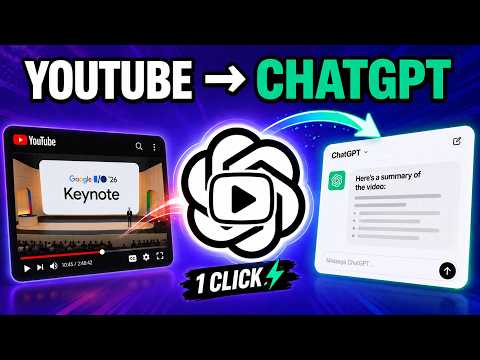
Push YouTube transcripts to ChatGPT in one click. Summarize, QnA, Fact Check, Deep dive in your own chat. No API Key required
Turn any YouTube video into an interactive conversation with ChatGPT. YT Digest extracts the YouTube transcript and lets you send it directly to ChatGPT with a single click. Summarize videos, ask questions, fact-check claims, explore topics in depth, or simply read and search the full transcript. No API key. No credit card. No separate AI subscription required. YOUTUBE TO CHATGPT IN SINGLE CLICK Click Summarize and YT Digest opens ChatGPT with the video's transcript ready to go. You're not limited to a fixed AI-generated summary. Once the transcript is in ChatGPT, you can: • Summarize the entire YouTube video • Ask questions about anything discussed • Fact-check claims and statements • Deep dive into interesting topics • Extract key points and takeaways • Create notes from lectures and tutorials • Continue asking follow-up questions EXPLORE SIDE BY SIDE WITH SPLIT VIEW Keep YouTube and ChatGPT side by side in Chrome's Split View—watch the video, ask questions, and jump back to the moments that matter. Right-click the YouTube tab and select “Add tab to new split view.” Then use YT Digest to click Summarize or Summarize With Timestamp (recommended). YT Digest opens ChatGPT in the other pane with the transcript and prompt ready for you to review and send. YT Digest automatically detects timestamps in ChatGPT's latest answer and turns them into clickable links. Click a timestamp to jump directly to that moment in the YouTube video—without switching tabs. SEARCH AND NAVIGATE VIDEO TRANSCRIPTS YT Digest also makes long videos easier to navigate. View the full transcript alongside the video and search for any word or topic to quickly find where it was discussed. Click any transcript line to jump directly to that moment in the video. You can also select a specific section of a video instead of working with the entire transcript. This is useful for long podcasts, interviews, lectures and other videos where you're interested in just one part of the discussion.
4 out of 54 ratings
Details
- Version0.7.1
- UpdatedSeptember 22, 2026
- Size51.63KiB
- LanguagesEnglish
- DeveloperWebsite
Email
rapidappworks@gmail.com - Non-traderThis developer has not identified itself as a trader. For consumers in the European Union, please note that consumer rights do not apply to contracts between you and this developer.
Privacy

YT Digest - YouTube Transcription to ChatGPT has disclosed the following information regarding the collection and usage of your data. More detailed information can be found in the developer's privacy policy.
YT Digest - YouTube Transcription to ChatGPT handles the following:
This developer declares that your data is
- Not being sold to third parties, outside of the approved use cases
- Not being used or transferred for purposes that are unrelated to the item's core functionality
- Not being used or transferred to determine creditworthiness or for lending purposes