


Overview
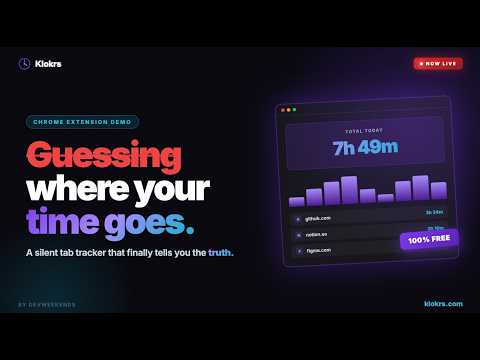
Silent tab time tracking for software engineers. Know exactly where your time goes.
You close your laptop at 6 PM exhausted. You cannot answer what you actually worked on today. You know you were in GitHub for a while. You know there were meetings. But the 8 hours are gone and the math does not add up. You have probably tried fixing this. You downloaded Toggl or Clockify, set up the timer, forgot to hit stop on day four, and deleted the app by day ten. The failure was not your discipline. It was friction. Any system that requires you to remember to use it will eventually be forgotten. Klokrs works differently. Install it once. Do not change anything about how you work. Klokrs watches which browser tab is active in which window, tracks how long you spend there, and saves everything automatically. When you walk away from your laptop, it notices and pauses. When you come back, it resumes. You never touch it. At the end of the day, you open the dashboard and see the truth. WHAT YOU GET Tracking (the extension) Automatic background tab tracking from the moment your browser opens Idle detection that pauses when your keyboard and mouse go quiet and resumes when you return Focused window tracking: if you have multiple Chrome windows open, only the one you are actively using records time. Background windows do not count. 5-second grace period on tab switching so brief interruptions do not fragment your sessions Subdomain grouping: mail.google.com and docs.google.com both roll up to google.com in your reports Saves every 60 seconds in the background. If your browser crashes, you lose at most one minute of data. Offline queue: if your connection drops, saves queue locally and sync automatically when you reconnect Silent auth token refresh so you are never logged out mid-session Popup with today's top 5 domains, a live timer for your current tab, total time tracked today, and a manual pause toggle if you need it Insights (the dashboard) Today view: bar chart and ranked domain list showing exactly where your time went Multi-day reports with a domain drilldown modal, hourly chart, and subdomain breakdown 90-day activity heatmap in a GitHub-style calendar showing productive days versus unfocused days based on your own threshold, not a generic standard Date range picker for custom reporting periods Planning Daily Planner: create tasks with start and end times, tag specific domains to each task, and have time automatically attributed to the right task as you work Pomodoro timer built directly into the dashboard with customizable work and break intervals Routine templates for weekday, weekend, and fallback schedules Your data PDF export of your browsing history with a date range picker and row count preview All preferences (idle timeout, minimum session length, productive hours threshold, work start and end time) sync to your account and roam across devices Settings split into General, Security, Preferences, and Data sections WHO THIS IS FOR Engineers and developers who spend most of their working day in a browser. People who have tried time tracking before and abandoned it because the friction of managing a timer was higher than the value of the data.. Independent builders who want honest data about their workday, not a productivity score calculated by someone else's algorithm. WHO THIS IS NOT FOR If you need to track time in desktop applications like Photoshop, VS Code standalone, or Slack desktop, Klokrs is not the right tool. We track browser tabs only. If you need to generate invoices for clients or run approval workflows for a team, look at Toggl or Harvest. They are built for that workflow. Klokrs is built for understanding your own time, not billing someone else for it. PRIVACY Your tracking data is stored in your own Klokrs account. We do not send your browsing behavior to third-party servers for analysis, categorization, or advertising. We do not sell your data. We do not aggregate your usage for AI training without explicit consent. The domains you visit, the time you spend on them, and the patterns in your workday belong to you. You can export everything and delete your account at any time. Klokrs is free. No credit card. No trial period. No feature locked behind a paywall that you will hit on day seven. The core tracking, the dashboard, the planner, and the Pomodoro timer are all free forever. Install it. Forget about it. Come back in a few days and see what your time actually looks like.
5 out of 52 ratings
Details
- Version1.6.5
- UpdatedAugust 4, 2026
- Size60.64KiB
- LanguagesEnglish (United States)
- DeveloperWebsite
Email
abdulmoiz3140@gmail.com - Non-traderThis developer has not identified itself as a trader. For consumers in the European Union, please note that consumer rights do not apply to contracts between you and this developer.
Privacy

Klokrs - Tab Time Tracker has disclosed the following information regarding the collection and usage of your data. More detailed information can be found in the developer's privacy policy.
Klokrs - Tab Time Tracker handles the following:
This developer declares that your data is
- Not being sold to third parties, outside of the approved use cases
- Not being used or transferred for purposes that are unrelated to the item's core functionality
- Not being used or transferred to determine creditworthiness or for lending purposes
Support
For help with questions, suggestions, or problems, visit the developer's support site