

WebSticky
2 ratings
)
Overview
Webページに付箋を貼り付け、重要箇所へ素早く戻れるブラウザ拡張機能
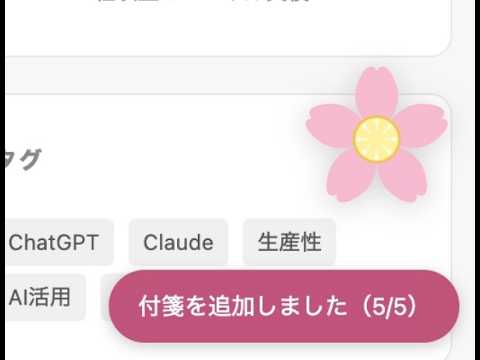
WebSticky — Webページに付箋を貼ろう 本に付箋を挟むように、Webページの 「ここ、あとで見返したい」をその場でブックマーク。 桜の花びらUIで最大5か所を記録し、ワンクリックで戻れます。 【こんな時に使える】 ・ChatGPTで追加質問をしているうちに、重要な回答が埋もれてしまったとき ・縦長のページで「この箇所、あとで詳しく見よう」と思ったとき ・リサーチ中に複数の箇所を行き来したいとき 【使い方】 ・Option+S(Mac)/ Alt+S(Win): 今いる場所に付箋を追加 ・桜の花びらをクリック: 保存した位置へジャンプ ・中央の黄色い種をクリック: 花びらを押す直前の場所へ戻る ・花びらを右クリック: その付箋を削除 ・Option+D(Mac)/ Alt+D(Win): 全付箋を削除 ・拡張機能アイコンをクリック: UIの表示/非表示(ツールバーへのピン留め推奨) 【特徴】 ・付箋は1ページ最大5枚。ページが変わると自動でリセット ・付箋を貼るたびに花びらが1枚ずつ咲く、直感的なUI ・リロードしても付箋は維持される ・ChatGPT・Notion などのSPAでも動作 ・桜UIはドラッグで好きな位置に移動可能(位置はブラウザに保存) ・個人情報の収集なし、外部通信なし
5 out of 52 ratings
Details
- Version3.0.0
- UpdatedJune 16, 2026
- Offered byfumi.programming
- Size28.02KiB
- Languages日本語
- Developer
Email
fumi.programming@gmail.com - Non-traderThis developer has not identified itself as a trader. For consumers in the European Union, please note that consumer rights do not apply to contracts between you and this developer.
Privacy

This developer declares that your data is
- Not being sold to third parties, outside of the approved use cases
- Not being used or transferred for purposes that are unrelated to the item's core functionality
- Not being used or transferred to determine creditworthiness or for lending purposes
Support
For help with questions, suggestions, or problems, visit the developer's support site