

Asset Inspector
2 ratings
)
Overview
Inspect any page for images, colors, type, video, and tech. Preview clips, check contrast, record with mic or camera.
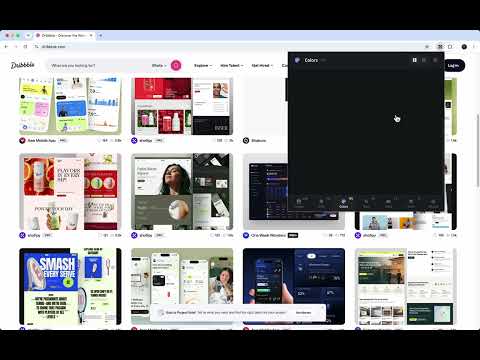
Asset Inspector reads the page you are on and lists what it is made of. Images Pictures from the page, including CSS backgrounds, favicons, and Open Graph images. Long file names keep their extension. SVG Inline and linked SVG assets. Colors The colors used on the page. Type Each style is drawn in that font. Copy the size, line height, weight, or color. Contrast compares the text color with the solid color behind it. The font inspector stays off until you turn it on. Video Videos already on the page: local files, YouTube, Vimeo, and Mux. A still shows first. Hover the card to play a muted preview. Stack Frameworks, CMS, analytics, and hosting detected on the site. Record Record is its own tab. The clip is the tab's size, not a stretched frame. In Settings, pick a quality and a frame rate. Turn on a microphone or camera if you want them in the clip. Place the camera in a corner, or drag it. A camera you turned on stays on the page while you record. Press Stop and the clip opens in the editor. Open Editor brings the latest recording back, so you can edit, cut, and save a shorter video.
5 out of 52 ratings
Details
- Version1.4.1
- UpdatedOctober 1, 2026
- Size90.02KiB
- LanguagesEnglish
- Developer
Email
mzemlickis@gmail.com - Non-traderThis developer has not identified itself as a trader. For consumers in the European Union, please note that consumer rights do not apply to contracts between you and this developer.
Privacy

This developer declares that your data is
- Not being sold to third parties, outside of the approved use cases
- Not being used or transferred for purposes that are unrelated to the item's core functionality
- Not being used or transferred to determine creditworthiness or for lending purposes